TL;DR
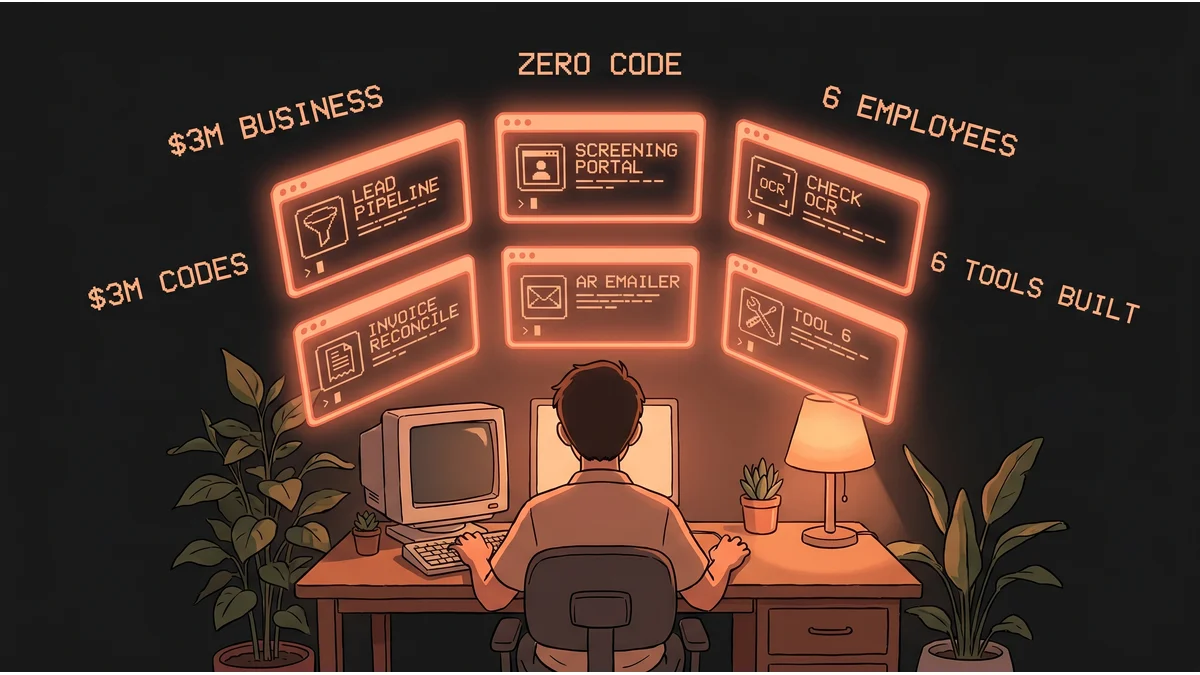
- A small business owner — six employees, $3M/year — built six internal tools with no coding background
- Stack: Google Apps Script + Claude AI
- Tools covered: lead pipeline, candidate screening portal, check OCR + auto-rename, invoice reconciliation (QuickBooks Online), AR overdue emailer + PDF sender
- No developer hired. No SaaS subscription replaced. Just a business owner describing problems in plain language.
- Best for: Business owners who think automation requires a technical co-founder
- Key lesson: The coding was never the blocker. Describing the problem clearly was.
Six employees. $3M a year. Zero lines of code written by hand.
The owner posted this on r/vibecoding in March 2026, framing it as a brag — but also as permission. Permission for other small business owners to realize that the technical wall they’ve been staring at isn’t as solid as it looks.
They didn’t hire a developer. They didn’t buy automation software. They used Google Apps Script — free with any Google Workspace account — and Claude AI to describe problems in plain language, generate working code, test it, and deploy it. Six times.
The Business
Six people. Roughly $3M in annual revenue. The kind of small business where every operational inefficiency costs real money because there’s no slack in the headcount. Every hour a team member spends on manual data entry, file renaming, or chasing invoices is an hour not spent on work that actually grows the company.
The owner had no coding background. What they had was a clear understanding of their own operations — what was slow, what was repetitive, what followed the same rules every time — and access to an AI that could turn those descriptions into working scripts.
The Six Tools
1. Lead Pipeline
Instead of manually tracking inbound leads through emails or spreadsheets, they built an automated pipeline. New leads come in, get captured in a structured format, and move through the pipeline without someone manually copying data between places. The kind of CRM-lite that small businesses often don’t implement because proper CRM software is expensive and complex.
2. Candidate Screening Portal
The company runs a 24/7 automated portal that screens job applicants. Candidates enter a structured flow; responses are captured and evaluated against criteria. Instead of the owner or a team member manually reviewing every application that comes in at any hour, the system pre-qualifies. Human time is spent only on candidates who’ve already cleared a first filter.
3. Check OCR + Auto-Rename
Paper checks come in. The old process: someone reads the check, figures out what it’s for, and manually renames the scanned file to something meaningful before filing it. The new process: the tool reads the check with OCR (optical character recognition), extracts the relevant information, and automatically renames the file. The human who used to do this now doesn’t.
4. Invoice Reconciliation (QuickBooks Online)
One of the most universally painful tasks in small business finance: matching invoices against payments in QuickBooks. Numbers that should match often don’t. Finding the discrepancies manually is tedious. The owner automated the comparison — the tool flags mismatches, leaving a human to investigate only the exceptions rather than review every line.
5. AR Overdue Emailer + PDF Sender
Accounts receivable follow-up is another universally avoided task. Someone hasn’t paid. A human needs to notice, compose a follow-up, attach the invoice PDF, and send it. The owner automated the detection (overdue accounts), the email composition, the PDF attachment, and the send. The system does it on schedule; the human no longer needs to remember to chase.
What “No Code” Actually Means Now
The phrase “no-code” usually refers to drag-and-drop tools — visual interfaces that generate automations without writing scripts. That’s not exactly what happened here.
The owner wrote code. Technically.
What they didn’t do is understand the code deeply before writing it. They described the problem in plain language — “I want a script that reads incoming checks via OCR and renames the file based on the payer and amount” — and Claude AI generated the script. They tested it. When something broke, they described the error to Claude and got a fix. They iterated until it worked.
This is vibe coding: using AI as a coding partner where the human provides the spec and judgment, and the AI provides the implementation. The “no coding background” statement is accurate in the meaningful sense — they couldn’t have written any of these scripts from scratch. But with AI as the technical layer, that limitation stopped mattering.
What This Costs
Google Apps Script is free with Google Workspace. Claude AI, at business usage rates, runs a few dollars per month. The tools cost nothing beyond the owner’s time to describe what they needed clearly.
Six SaaS tools — even lightweight ones — typically run $50-200/month each. A developer to build these would be $5,000-20,000 in consulting fees. What the owner spent was hours describing their own operations to an AI.
The Broader Pattern
This is not a story about a technical person doing technical things. It’s a story about a business owner who understood their own operations well enough to describe them clearly.
The six tools listed share a structure: something happens (lead comes in, candidate applies, check arrives, payment is due) → information is extracted → action is taken. That’s it. Each one is a variation on the same pattern, applied to a different part of the business.
The businesses that will benefit most from this shift aren’t tech companies. They’re the $1M-$10M small businesses where the owner knows every manual process by heart because they built them. That operational knowledge — usually locked in a person’s head — is now the raw material for automation.
The coding was never the blocker. Describing the problem clearly was. And that’s something every business owner has already been doing for years.