TL;DR
- Two professionals using AI coding tools for zero actual coding
- Ian: Claude Code for YouTube videos, web scraping, articles, Instagram posts, marketing
- Reezy: OpenClaw for 1,500 YouTube video scheduling, email triage, news curation
- Best for: Business owners, content creators, marketers doing repetitive computer work
- Key lesson: If AI solves hard problems (programming), simple tasks are trivial
The tools were named “code” and marketed to developers. Then business owners discovered they worked better than virtual assistants.
Ian: From Downgrading to All-Day Use
Ian Park (@unclejobs_ai) was considering downgrading his Claude subscription. Tokens were sitting unused. He was primarily using Codex for AI work, and Claude felt redundant.
Then he tried Claude Code for non-coding tasks.
Five workflows changed his mind:
- YouTube video creation using Remotion (video generation library)
- Web scraping by chaining Claude Code with Gemini CLI
- Content research - breaking down references and drafting articles
- Social media design - creating Instagram carousel posts
- Marketing automation - general marketing workflows
His realization: “If it can handle complex programming, repetitive one-off tasks are a joke.”
The mental model shifted from “AI tool” to “all-purpose employee who never gets tired.” Once he assigned roles per agent (one for each job type), it felt like hiring specialists.
No code written. Just directing the agent to handle business tasks.
Reezy: Defending OpenClaw with 1,500 Videos
When a skeptic on Twitter called OpenClaw an “expensive mediocre gimmick with no good use cases,” Reezy (Amazon Influencer) had receipts.
Three workflows running in production:
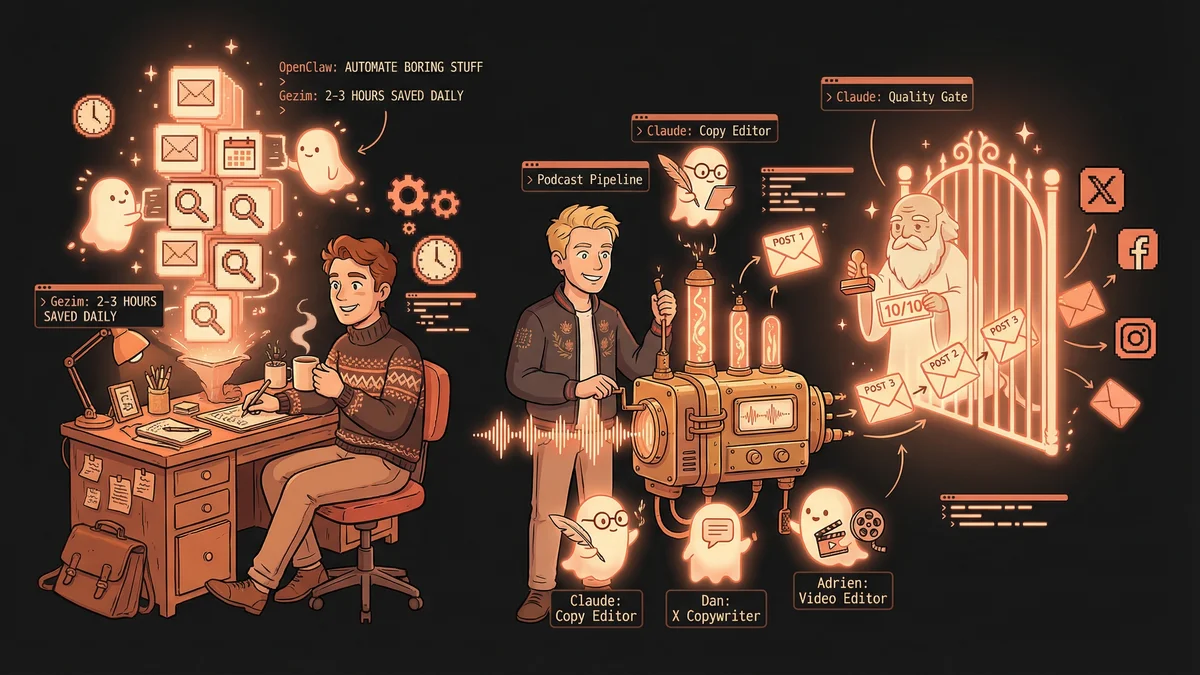
Email triage for brand deals: Agent scans email every morning, auto-drafts replies to potential brand partnerships, alerts Reezy for review before sending.
YouTube bulk scheduling: Cross-posting 1,500 short review videos from Amazon Influencer channel to YouTube at 3/day. Manual scheduling “takes forever, lots of clicking.” YouTube’s API doesn’t support scheduling, so SaaS tools can’t help. Computer-use agents fill the gap.
News curation cron job: Daily morning analysis and summarization of news in his niche. “This is how people write niche newsletters nowadays.”
The economics: Sure, some SaaS tools cost $20-40/month. But OpenClaw is “near free when you run it yourself” and handles tasks no API reaches.
The catch: “It’s not about it doing stuff out of the package. You have to train it.”
The Pattern: Tool Names Lie
Both Ian and Reezy discovered the same thing: AI agents named for coding work brilliantly for non-coding business operations.
The productivity jump came from rethinking what “coding tools” mean. Programming is complex reasoning about systems, sequences, and automation. Business workflows are the same thing with different outputs.
If AI can architect software, it can architect your content calendar.
If AI can debug code, it can organize your CRM.
If AI can build features, it can build presentations.
The “code” in Claude Code and OpenClaw was never the limitation. It was the marketing.
What This Means for Your Business
Start with one repetitive computer task you’d delegate to a virtual assistant:
- Scheduling social media posts
- Drafting email responses
- Organizing files or data
- Creating presentation decks
- Researching competitors or content
Ask the AI agent to handle it. Not “help with” - handle.
Assign roles. One agent for content, one for operations, one for research. The specialization creates the employee feeling Ian described.
The tools say “code.” The reality is “digital workforce.”
You just have to ignore the name on the box.