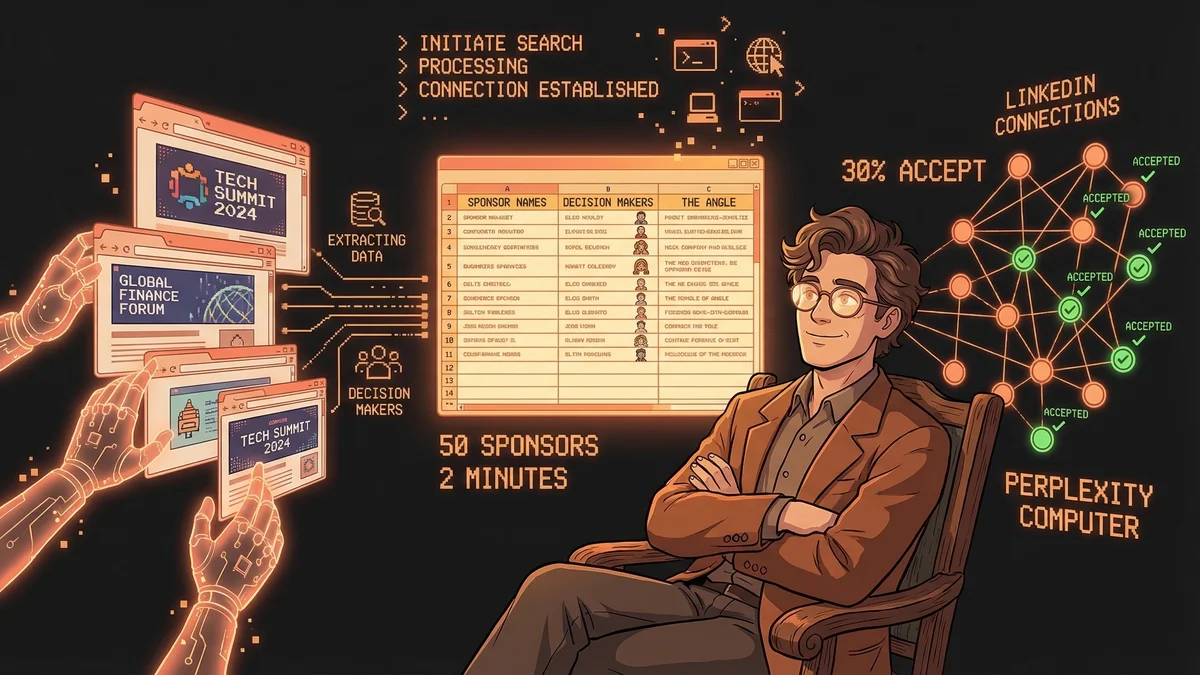
Finding 50 corporate sponsors for an invite-only event used to mean weeks of research, LinkedIn stalking, and guessing at who makes sponsorship decisions.
Nick Davidov did it in 2 minutes.
The Old Way vs The New Way
The old playbook:
- Google “companies that sponsor [event type]”
- Browse websites, try to identify fit
- LinkedIn search for marketing directors or partnership leads
- Manually build a spreadsheet
- Draft personalized outreach explaining why sponsorship makes sense
- Send connection requests one by one
- Hope for 10-15% acceptance
Time investment: Several hours to a full day. Outcome: Maybe 5-7 acceptances out of 50 requests if you’re lucky.
The new playbook:
- Point computer use AI at last year’s event website + this year’s deck
- Ask it to find 50 best-fit corporate sponsors, decision makers, and the angle for each
- Export to spreadsheet
- Bulk-add on LinkedIn via automation tool
Time investment: 2 minutes. Outcome: 15 acceptances in the first 2 hours. 30% acceptance rate.
What Changed
Computer use AI doesn’t just search—it analyzes.
Nick used Perplexity Computer and fed it context: last year’s event website (https://thesponsorednetwork.com/) and a deck for this year’s invite-only version. The AI didn’t just return a list of company names. It returned:
- Names of 50 companies that fit the event profile
- Decision makers at each company (the humans who approve sponsorships)
- The angle — why sponsorship would work for them specifically
That last part is the shift. Old-school lead lists give you contacts. Computer use AI gives you targeting reasoning.
The 2-Minute Workflow
Step 1: Point Perplexity Computer at the source material.
“Search for 50 best-fit corporate sponsors to help foot the bill. Find decision makers and an angle why this would work for them. Export names and reasons to a spreadsheet.”
Step 2: Wait ~2 minutes while the AI browses, analyzes, cross-references, and builds the list.
Step 3: Open LinkedIn on Comet (a LinkedIn automation tool) and bulk-add all 50 people to connections.
Done.
The Validation
Within the first 2 hours: 15 out of 50 accepted the connection request.
That’s a 30% acceptance rate on cold outreach with zero personalization beyond the AI-generated “angle.” No manual research. No custom messages. No warm intros.
Why did it work? Because the AI didn’t just find any 50 companies—it found companies where sponsorship actually made strategic sense. The decision makers could see the fit immediately.
What This Means for B2B Outreach
This workflow isn’t just for event fundraising. It’s a template for any B2B scenario where you need qualified contacts at scale:
- Investor outreach — Find 50 VCs who’ve funded similar companies, export partners’ names and thesis fit
- Partnership development — Identify companies with complementary products, find BD leads, explain the integration opportunity
- Sales prospecting — Target accounts matching your ICP, find economic buyers, generate account-specific value props
- Press outreach — Locate journalists covering your space, find contact info, draft pitch angles
The pattern is the same: context in → qualified list with reasoning out → automated first touch → validation via response rate.
The Implications
If you can describe the criteria for a “good fit” clearly enough that a human researcher could execute it, computer use AI can do it in minutes instead of hours.
And unlike human researchers, the AI explains its reasoning. You get the “angle” for each contact—the why behind the targeting. That’s what turns a cold list into warm outreach.
Nick’s 30% acceptance rate isn’t luck. It’s proof that the AI understood the assignment.
Two minutes. Fifty sponsors. Fifteen connections. Zero manual research.
That’s the new standard for B2B outreach.