TL;DR
- AI culling reduced sorting 2,400 photos from 3+ hours to 40 minutes
- Tools like Aftershoot detect sharpness, closed eyes, expression quality, and duplicates automatically
- Human review still required; AI handles obvious decisions, you make the ones that matter
- Best for: event photographers, hobbyists drowning in unsorted photos, anyone who loves shooting but hates sorting
- Key lesson: AI flipped photography from 20% shooting / 80% computer work to the opposite ratio
A hobby photographer cut his photo sorting time by 80% using AI culling, transforming the most dreaded part of photography into a 40-minute task.
Richard shot 2,400 photos at his nephew’s wedding.
That’s not unusual for wedding photography. You shoot everything. Multiple angles. Bracketed exposures. Safe shots and creative risks.
What happens next is the nightmare: culling.
Sitting at a computer, clicking through 2,400 images one by one. Is this one sharp? Is that one well-exposed? Is someone blinking? Is the composition good?
At 5 seconds per photo, that’s over three hours of pure tedium before any creative work begins.
“I dreaded it. The shooting was fun. The editing was fun. The culling was torture.”
Then he tried Aftershoot.
The Culling Problem
Photography involves two radically different activities.
Capturing is creative. You see moments, compose frames, anticipate action. It’s intuitive and rewarding.
Culling is mechanical. You evaluate thousands of images against simple criteria. Sharp or blurry? Eyes open or closed? Composition strong or weak?
Professional photographers estimate culling takes 3-5x longer than the actual shoot. A four-hour event might require fifteen hours of selection.
Hobbyists often give up. They import everything and never sort it. Or they skim randomly, missing great shots buried in the pile.
Richard was somewhere in between — diligent enough to cull, resentful enough to hate it.
The AI Cull
Aftershoot and similar tools use computer vision to do what humans do during culling, except instantly.
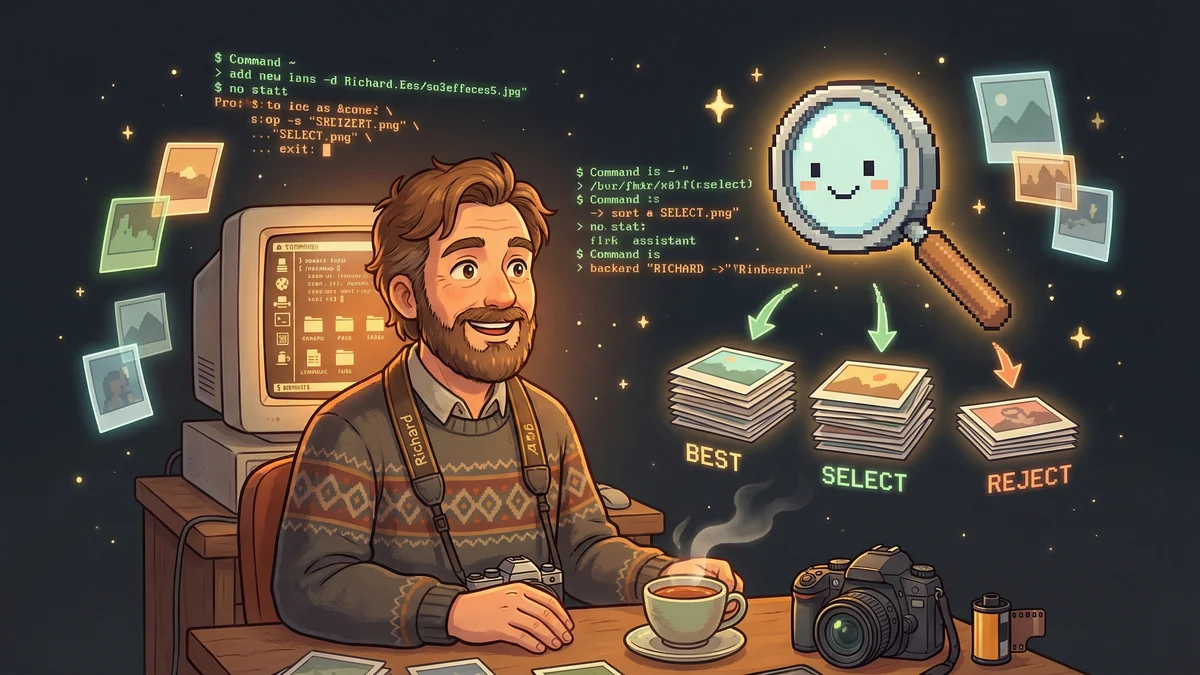
Richard uploaded his 2,400 wedding photos. Twenty minutes later, the AI had evaluated every image and grouped them:
- Reject (blurry/unfixable): 340 images
- Maybe: 1,200 images
- Select: 620 images
- Best: 240 images
The AI had identified sharpness, closed eyes, poor expression, technical problems, and composition. It grouped similar shots and picked likely favorites from each sequence.
Richard still reviewed the results. He promoted some “Maybe” shots to “Select.” He rejected a few “Best” picks that had issues the AI missed.
But instead of evaluating 2,400 photos, he evaluated 500. The AI handled the obvious decisions.
“What used to take three hours took forty minutes. And I wasn’t brain-dead by the time I started editing.”
What the AI Sees
AI culling tools analyze multiple factors:
Technical quality:
- Focus/sharpness (especially on faces and eyes)
- Exposure (too dark, too bright, properly lit)
- Noise levels (from high ISO)
Expression detection:
- Closed eyes
- Blinking
- Grimacing
- Smiling (and differentiating forced from genuine smiles)
Composition:
- Rule of thirds adherence
- Subject placement
- Horizon alignment
Duplicates:
- Grouping nearly identical shots
- Selecting the “best” from each burst
Richard noticed the AI was particularly good at catching blinks. His nephew’s young son blinked in roughly half of his photos. The AI flagged them all instantly.
“I would have spent ten minutes reviewing that kid’s photos. The AI spent ten milliseconds.”
The Sky-Swap Controversy
Culling is non-controversial. Everyone agrees sorting photos faster is good.
Other AI photography features generate more debate.
Sky replacement: Tools like Luminar Neo let you swap a dull gray sky for a dramatic sunset. The AI matches lighting and reflections to make the swap believable.
Generative remove: Point at a tourist photobombing your landmark shot, and AI fills in the background seamlessly.
Auto-enhancement: One-click improvements to exposure, color, and sharpness.
Some photographers embrace these features. A family photo ruined by a photobomber can be salvaged. A great composition under boring clouds can become dramatic.
Others resist. If you swap the sky, is it still a photograph? Or is it digital art passing as a photograph?
The community generally accepts: use these tools if you want, but be honest about it. Don’t enter a sky-replaced image in a photography contest. Don’t claim “natural” when it’s heavily manipulated.
The Learning Photographer
Richard discovered AI tools helped him learn, not just produce.
Some apps offer critique features. Upload a photo, and the AI evaluates composition, exposure, and technique.
“The image might be stronger if the subject were off-center. The lighting on the face is harsh — consider diffusing it.”
Richard started using this feedback loop. Shoot, get AI critique, adjust, reshoot.
“I learned more about composition in three months with AI feedback than in years of just shooting and hoping.”
The AI isn’t a replacement for developing an artistic eye. But it accelerated the feedback cycle. Mistakes got identified immediately instead of lingering in his unconscious technique.
The Retiree’s Revival
Richard’s father, semi-retired, had given up on photography.
“He loved shooting birds but hated everything after. The computer stuff was overwhelming. Thousands of photos sitting unorganized.”
Richard set him up with AI tools. Culling happened automatically. Basic edits (noise reduction, color correction) applied in batches.
“His reaction was almost tearful. Suddenly he could do what he loved — shoot birds — without dreading the aftermath. He goes out shooting twice as often now.”
The AI removed barriers that had killed enthusiasm. Same hobby, same passion, fraction of the friction.
The Limits
AI photo tools aren’t perfect.
False positives: Sometimes the AI rejects sharp photos or keeps blurry ones. Human review remains necessary.
Style blindness: AI doesn’t understand artistic intent. A deliberately motion-blurred shot might get flagged as “reject.” An intentionally dark mood piece might get “corrected.”
Uncanny results: Generative features sometimes produce artifacts — weird textures, impossible reflections, slightly-off lighting.
Over-reliance risk: If you let AI make all decisions, your photos might become generic. The algorithm optimizes for “technically good,” not “personally meaningful.”
Richard treats AI as first pass, not final word. It handles the obvious, leaving him to make the decisions that matter.
The New Workflow
Richard’s current process:
- Import all photos to Aftershoot
- AI cull generates initial selections
- Review AI picks in about 30 minutes
- Edit selected photos in Lightroom
- Deliver to family/clients
Total time for a 2,000-photo event: maybe 6 hours. Previously: 15-20 hours.
The saved time goes back into shooting. More events. More creative projects. More joy.
“Photography used to be 20% shooting and 80% computer work. AI flipped that ratio. Now it’s actually fun again.”