TL;DR
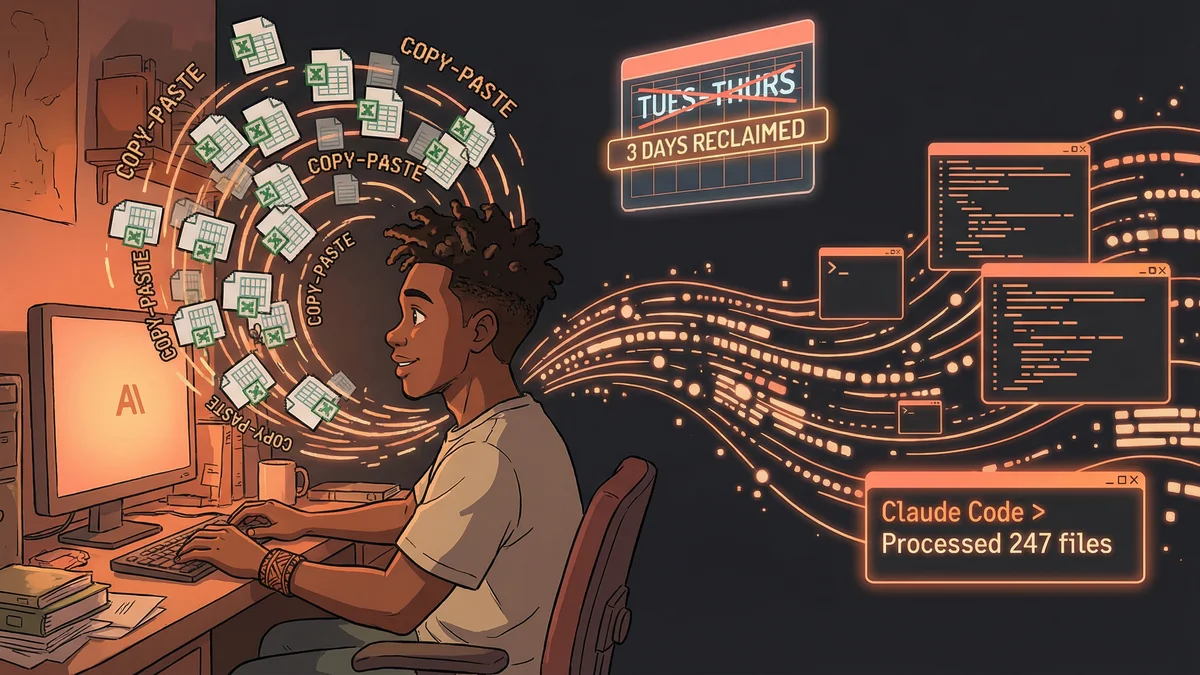
- Non-programmer automated processing of 247 Excel files weekly, reducing 3 days of work to 40 minutes
- No coding required - just plain English descriptions of what needed to be done
- Key approach: Start with one file type, give precise instructions with real examples
- Best for: Data analysts, accountants, anyone drowning in repetitive spreadsheet work
- Key lesson: 90% automation is transformative - don’t try to handle every edge case
A data analyst with zero coding skills used Claude Code to automate three days of weekly spreadsheet work down to 40 minutes, without writing a single line of code.
Street had a confession to make.
“Not a programmer. Like at all. My job title says ‘data analyst’ but really I’m a professional copy-paster.”
Every week, the same ritual. Hundreds of Excel files would arrive. Different formats. Different vendors. Different layouts. All needing to be consolidated into standardized reports.
“Three days. Every week. Three days of copy-paste, format-fix, formula-check, sanity-verify. By Thursday I’d be done processing. Friday and Monday were actually productive. Then Tuesday the new batch arrived.”
For five years, this was the job.
The Breaking Point
One Tuesday, Street stared at 247 new Excel files and felt something snap.
“This can’t be what humans are for. I’m spending 60% of my work life doing something a machine should handle. But I don’t know how to make machines do things.”
Colleagues who could code had automated their workflows. They’d offer to help, then explain requirements gathering and development timelines that stretched for months. The automation would take longer to build than just doing the manual work.
“I’d resigned myself to copy-paste purgatory. Then someone in an online forum mentioned Claude Code.”
The First Attempt
Street was skeptical. AI chatbots were for writing emails, not processing data.
“I described my problem to Claude Code. ‘I have 247 Excel files in different formats. I need to extract the sales data from each and consolidate into a single report. I don’t know how to code.’”
Claude’s response surprised him.
“It didn’t say ‘learn Python.’ It said ‘show me one of the files.’ I pointed it at a sample. Claude analyzed the structure, asked a few clarifying questions, then said ‘I can do this. Want me to process the whole folder?’”
The Processing
Claude worked through the files.
“I watched it in the terminal. File after file. Reading. Extracting. Transforming. The same operations I’d done by hand, but fast.”
In forty minutes, Claude had processed all 247 files. The consolidated report appeared in the output folder.
Street checked it. The data was correct. The formatting matched requirements. The formulas worked.
“I sat there for a minute just staring. Three days of work. Forty minutes. And I hadn’t written a single line of code.”
The Quality Question
Was it accurate?
“That was my fear. I’m responsible for these reports. If Claude made mistakes, they’d be my mistakes.”
Street spot-checked against files he’d already processed manually. The results matched. Actually, Claude caught some things Street had missed — inconsistent date formats, hidden rows that contained data.
“Somehow it was more accurate than when I did it manually. I’d been making small errors for years. The machine didn’t.”
The Workflow Evolution
Street refined the process over the following weeks.
“I learned to give Claude better instructions. ‘Skip files that have DRAFT in the filename.’ ‘Flag any file where the total doesn’t match the sum of line items.’ ‘Create a separate error report for files that couldn’t be processed.’”
Each refinement came from a real problem. Claude adapted to each one.
“The workflow got smarter because I was teaching it what to watch for. All through conversation, not code.”
The Template System
Street realized the patterns were reusable.
“I wasn’t just processing files anymore. I was building processes. The instructions I gave Claude for one report type worked for similar report types.”
He started documenting his workflows. Not code — just the plain English descriptions that worked.
“Other people on my team could run the same processes. ‘Here’s how you tell Claude to consolidate vendor reports.’ Copy, paste, done.”
The Three-Day Reclamation
The math was simple but profound.
Before Claude: Tuesday, Wednesday, Thursday processing data. Friday and Monday doing actual analysis.
After Claude: Tuesday morning processing data. Tuesday afternoon through Monday doing actual analysis.
“I got three days of my week back. Not vacation days — work days where I could think instead of copy.”
The Career Impact
Street’s role changed.
“My manager noticed I was producing insights, not just reports. Analysis that used to wait for ‘after processing’ was happening in real-time.”
The same data that took three days to wrangle now took an hour. The remaining time went to understanding what the data meant.
“I got promoted. Not because I learned to code — because I learned to leverage AI to do the coding for me. The outcome was what mattered.”
The Expansion
Other repetitive tasks fell to the same approach.
“Monthly data validation? Claude. Quarterly format updates? Claude. That weird annual reconciliation that took a whole week? Claude, in about two hours.”
Street became the team’s AI workflow expert. Not a programmer — still couldn’t write Python — but someone who knew how to describe problems precisely enough that Claude could solve them.
“My new skill isn’t coding. It’s AI communication. Knowing how to explain what I need in ways that work.”
The Honest Limitations
Not everything worked perfectly.
“Some files were too weird. Scanned PDFs with handwritten notes. Excel files with macros that did calculations during open. Edge cases Claude couldn’t handle.”
Those still required manual work. Maybe 10% of the original volume.
“But 90% automation is still transformative. I went from three days to a few hours, with maybe a couple hours of edge case cleanup.”
The Advice
For others drowning in repetitive data work:
“Start with one file type. One workflow. Show Claude exactly what you need, with real examples. Don’t try to automate everything at once.”
The specificity matters. “Consolidate these files” is too vague. “Extract the columns labeled X, Y, Z from each file, standardize dates to ISO format, and combine into a single sheet sorted by date” — that works.
“Build your automation vocabulary. Learn what instructions Claude responds to well. It’s a skill, but it’s not programming. It’s communication.”
The Bigger Picture
Street saw his experience as a preview of knowledge work transformation.
“Every industry has these tasks. Things humans do because nobody built a tool for the specific workflow. AI lets you build the tool through description.”
The barrier wasn’t capability — Claude could always do these operations. The barrier was access — until now, you needed to code to automate.
“I don’t code. I describe. The outcome is the same: work that used to be manual is now automated. The path there is just different.”
The Current State
Two years later, Street still uses Claude Code daily.
New file formats appear. New requirements emerge. Each one becomes a conversation, then a workflow, then part of the automation library.
“I still can’t write Python. Don’t want to. But I automate things every day. The job title is still ‘data analyst.’ The job itself is unrecognizable.”
The three-day week didn’t mean Street worked less. It meant Street worked on harder, more interesting problems.
“I used to process data. Now I understand it. Claude handles the processing. I handle the meaning.”