TL;DR
- Run 10-15 Claude Code sessions in parallel using git worktrees for isolation
- Manage sessions like RTS game units: some explore, some implement, some debug
- 10-20% session abandonment rate is acceptable cost of parallel exploration
- Best for: Experienced developers comfortable with git and terminal multiplexing
- Key insight: Parallel sessions explore alternatives faster than sequential work
The Claude Code creator runs up to 15 AI sessions simultaneously, treating them like units in a strategy game — with system notifications, git worktrees, and attention triage enabling massive productivity gains.
Boris Cherny helped create Claude Code.
He knew the tool better than almost anyone. So his workflow was worth studying.
What he described surprised people: “It feels more like Starcraft than traditional coding.”
The Setup
Boris runs multiple Claude instances simultaneously.
Not one or two. Ten to fifteen.
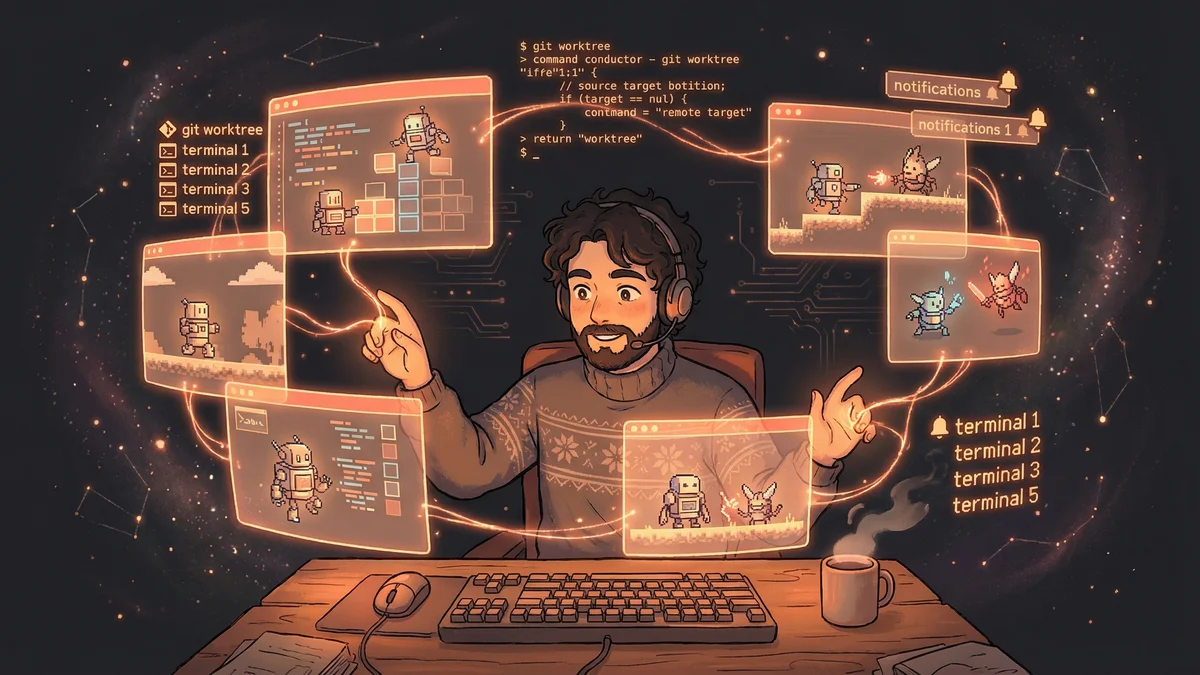
Five terminal tabs: Each running Claude Code, numbered 1-5.
Five to ten browser sessions: Claude.ai conversations running in parallel.
“Each session is working on something different. I’m managing a fleet.”
The Strategy Game Analogy
In Starcraft, players manage dozens of units across the map.
Some units scout. Others build. Others fight. The skill is coordination — knowing which units need attention, when to intervene, when to let them run.
“That’s what parallel Claude development feels like. Multiple units. Different tasks. Managing attention across all of them.”
The cognitive load was different from sequential coding. Less focus on one thing. More awareness of many things.
The Git Worktree Pattern
Multiple instances working on one codebase would cause conflicts.
Boris’s solution: git worktrees.
Each Claude session gets its own checkout of the repository. Changes happen in isolation. Merging happens manually when features are ready.
“Worktrees let each Claude work independently. They don’t step on each other.”
The infrastructure enabled the parallelism.
The Notification System
With ten sessions running, tracking which need attention was critical.
Boris configured system notifications. When Claude finishes a task or needs input, a notification appears.
“I don’t have to watch every session. They signal when they need me.”
The workflow became interrupt-driven. Work on one thing, get notified about another, context-switch, return.
The Tab Numbering
Terminal tabs are numbered 1-5.
“Tab 3 is asking about the API design.” “Tab 5 finished the test suite.” “Tab 1 is stuck on a bug.”
The numbering created a shared vocabulary. Quick identification. Fast context-switching.
The Task Distribution
Different sessions get different types of work.
Exploration sessions: Investigating codebase, understanding structure, finding files.
Implementation sessions: Writing new features, making changes.
Debugging sessions: Tracking down bugs, diagnosing issues.
Review sessions: Checking generated code, validating approaches.
The specialization matched tasks to session states. An exploration session accumulates context. An implementation session uses that context.
The Abandonment Rate
Not every session succeeds.
“About 10-20% of sessions I start, I end up abandoning. Something goes wrong. Claude gets confused. The approach isn’t working.”
The abandonment rate was an acceptable cost. Starting ten sessions and completing eight was still better than completing one at a time.
The Attention Management
Managing ten sessions required attention discipline.
Boris described strategies:
Triage quickly: Glance at notifications. Decide which need immediate response.
Queue non-urgent: Some questions can wait. Don’t interrupt flow for everything.
Recognize failure early: If a session is going badly, abandon and restart rather than sinking time into recovery.
The Parallelism Payoff
Why bother with the complexity?
“Because ten parallel sessions produce more than ten sequential sessions. The parallelism isn’t just about time — it’s about exploration.”
Multiple sessions could try different approaches simultaneously. The winning approach became obvious faster.
The Context Isolation Benefit
Each session had its own context.
“One session exploring a module doesn’t pollute another session implementing a different feature.”
The isolation prevented cross-contamination. Sessions stayed focused on their domains.
The Learning Process
Boris developed the workflow iteratively.
“I didn’t start with fifteen sessions. I started with two. Then three. Gradually scaled up as I learned to manage the complexity.”
The skill was learnable. But it required deliberate practice.
The Tool Requirements
The workflow demanded specific tooling:
Fast terminal switching: Keyboard shortcuts to jump between tabs.
Git worktree proficiency: Creating, managing, cleaning up isolated checkouts.
Notification infrastructure: System alerts for session state changes.
“Without the tooling, this workflow wouldn’t work. The overhead would swamp the benefits.”
The Mental Model
The Starcraft analogy captured the mental model.
“I’m not writing code. I’m commanding units. Some need micro-management. Others can run on autopilot.”
The shift: from craftsperson to commander. From executing to orchestrating.
The Productivity Numbers
Boris didn’t publish specific metrics.
But the implication was clear: his output exceeded what sequential work would produce.
“I ship more, faster. The exact multiplier depends on the project, but it’s significant.”
The Transferability Question
Could others adopt this workflow?
“Yes, but it takes practice. You need comfort with git, with terminal multiplexing, with cognitive context-switching.”
The prerequisites were real. Not everyone would find the workflow comfortable.
The Cognitive Load Reality
Ten parallel sessions were mentally taxing.
“It’s intense. I don’t do it all day every day. But when I need velocity, this is how I get it.”
The workflow was a tool for specific situations. Not a default mode for all work.
The Session Lifecycle
Sessions had lifecycles.
Start: Define task, give initial prompt, let Claude explore.
Monitor: Check notifications, answer questions, provide guidance.
Complete: Review output, merge changes, clean up worktree.
Abandon: If things go wrong, kill the session and start fresh.
Understanding the lifecycle helped manage the fleet.
The Error Recovery
Parallel sessions sometimes produced conflicting solutions.
“Two sessions might implement the same feature differently. I pick the better one. Sometimes I combine them.”
The conflicts were a feature, not a bug. Multiple approaches meant comparing alternatives.
The Scaling Limit
Why ten to fifteen sessions? Why not fifty?
“Human attention is the limit. I can track about fifteen sessions. Beyond that, I’m not actually managing — I’m just creating noise.”
The constraint was cognitive, not technical.
The Future Vision
Boris saw the workflow evolving.
“Eventually, the orchestration will be automated too. A meta-system that spawns sessions, manages attention, merges results.”
Current state: human orchestration of AI workers.
Future state: AI orchestration of AI workers with human oversight.
The Practical Advice
For those wanting to try parallel Claude development:
Start small: Two sessions. Get comfortable. Then three.
Invest in tooling: Keyboard shortcuts, notifications, worktree scripts.
Accept abandonment: Not every session will succeed. That’s okay.
Track what’s where: Numbering, notes, some system for knowing which session is doing what.
The Core Insight
The Starcraft metaphor captured something important.
“AI development at scale is a different skill than AI development one session at a time. It’s resource management. It’s attention allocation. It’s strategy.”
The parallel workflow wasn’t just faster. It was different. A different way of working with AI.
And for Boris, who helped create Claude Code, it was the natural evolution.