TL;DR
- Eliminated constant manual data exports by connecting Claude Code to cloud systems
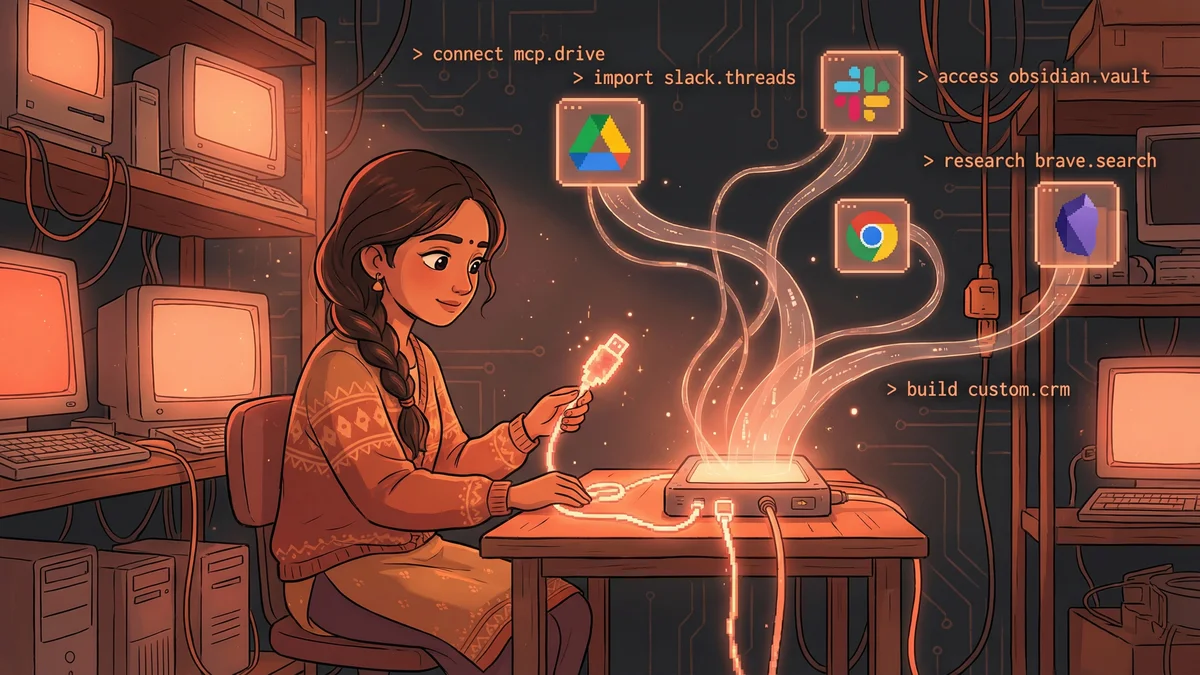
- Connected 6+ MCP servers: Drive, Slack, Brave Search, Obsidian, filesystem, and custom CRM
- Used Desktop Extensions for one-click server installation (no coding required)
- Best for: Anyone tired of downloading/exporting data before AI can process it
- Key lesson: AI capabilities come from connections — each MCP server is a new skill
A marketing manager transformed Claude Code from a local-only tool to an integrated assistant connected to Google Drive, Slack, and her team’s CRM — all without coding.
Priya had a capable assistant that couldn’t see anything.
Claude Code was powerful. It could read her local files, process documents, generate content. But her actual work lived elsewhere — Google Drive, Slack, her CRM, her email.
“Every time I needed Claude to work with real data, I had to download it first. Export from Drive. Copy from Slack. The manual bridging was constant.”
Then she discovered MCP servers. And everything changed.
The USB-C Port Analogy
Someone described MCP as “USB-C ports for AI.”
Just like USB-C connects physical devices — monitors, drives, keyboards — to your computer, MCP servers connect digital services to your AI assistant.
“The analogy clicked immediately. Claude wasn’t broken. It just needed the right cables.”
Each MCP server was a connection. Google Drive server. Slack server. Filesystem server. Each one gave Claude new capabilities.
The First Connection
Priya started with Google Drive.
The installation was simpler than she expected. Download the extension. Authenticate with her Google account. Done.
“I asked Claude: ‘What documents do I have about Q4 planning?’ It searched my Drive and listed them. Without me downloading anything.”
The mental model shifted. Claude wasn’t limited to local files anymore. It could see her cloud storage as easily as her desktop.
“Show me the latest version of the marketing budget.” Claude opened it directly from Drive. No manual fetching.
The Slack Integration
Next came Slack — where her team’s real conversations happened.
With the Slack MCP server installed, Claude could read channels. Search messages. Understand context that existed in team discussions.
“Summarize what the design team discussed yesterday about the rebrand.”
Claude scanned the #design channel, found relevant threads, synthesized the conversation.
“I used to scroll through hundreds of messages trying to catch up. Now I just asked Claude what I missed.”
The hours spent reading Slack compressed into seconds of summary.
The Filesystem Foundation
Some connections were obvious but essential.
The filesystem MCP server gave Claude access to local folders. Without it, Claude Code was just a chatbot.
“I didn’t realize how critical this was until I tried helping a colleague set up. Her Claude couldn’t read files because the filesystem connection was missing.”
Priya documented her setup. Filesystem for local. Drive for cloud. Slack for communication. The foundation of her AI’s awareness.
The Research Layer
Priya added the Brave Search MCP server for web research.
“Research competitor pricing strategies and summarize what you find.”
Claude searched the web, visited pages, extracted information. No browser tabs. No manual copying.
“I’d describe what I wanted to know. Claude would find it, read it, summarize it. The research happened in the background.”
Competitor analysis that took hours became requests that took minutes.
The Knowledge Base Connection
For her personal notes, Priya used Obsidian. She found an MCP server specifically for it.
“My vault has five years of notes. Marketing frameworks. Campaign ideas. Lessons learned. All searchable by Claude.”
She could ask: “What did I write about influencer marketing?”
Claude would search her vault, find relevant notes, synthesize her past thinking.
“It was like having perfect memory of everything I’d ever written down.”
The Capability Explosion
Each server added capabilities. The combinations multiplied power.
“Check my Drive for the Q3 campaign results, compare them to what the team discussed in Slack about Q4 targets, and draft an email summarizing the gap.”
One request. Three data sources. Integrated output.
“Without MCP servers, that would have been: download the doc, copy from Slack, draft manually, combine myself. With them: just ask.”
The Desktop Extension Discovery
Installing MCP servers originally required editing configuration files. Technical. Error-prone.
Then Anthropic released Desktop Extensions — one-click installers.
“Game changer. Download the extension file. Double-click. Done.”
Priya helped her team set up their own connections. No technical knowledge required. Just click and authenticate.
“The USB-C analogy got more real. These were literally plug-and-play.”
The Custom Connection
Priya’s company used a niche CRM. No pre-built MCP server existed.
She found documentation on building custom servers. Daunting at first glance.
But Claude helped. “Based on this API documentation, help me understand what an MCP server for this CRM would need.”
Together, they worked through the requirements. Priya couldn’t code, but she could describe what she needed. A developer colleague translated that into a working server.
“Now Claude can pull customer data directly from our CRM. A custom capability no one else has.”
The Permission Model
MCP servers required thoughtful configuration.
“I didn’t want Claude reading ALL my email. Just work-related folders. The server let me specify which accounts and folders to expose.”
Same with Drive. Read access to work folders. No access to personal documents.
“I built exactly the awareness I wanted. Comprehensive for work. Bounded for privacy.”
The Tool Inventory
Priya maintained a list of her active MCP servers:
Core:
- Filesystem (local files)
- Google Drive (cloud documents)
- Slack (team communication)
Research:
- Brave Search (web research)
- Obsidian (personal knowledge)
Specialized:
- Custom CRM server (customer data)
“Each server is a skill Claude has. The more skills, the more capable the assistant.”
The Troubleshooting Reality
Servers occasionally disconnected. Authentication expired. Updates broke things.
“It’s like any technology. Sometimes you have to re-authenticate. Sometimes an update changes behavior. Part of the deal.”
Priya kept her CLAUDE.md file updated with server status and known issues.
“If a server is acting weird, I note it. Claude helps troubleshoot based on past issues.”
The Team Adoption
Priya’s setup became a template for colleagues.
“I shared my configuration file. Here are the servers I use. Here’s how to install them. Here’s what they enable.”
Within weeks, her marketing team had standardized AI setups. Same capabilities. Shared workflows.
“We could collaborate through Claude. ‘Check the shared Drive folder for the latest assets.’ Everyone’s Claude could see the same things.”
The Capability Mindset
The experience changed how Priya thought about AI tools.
“I stopped asking ‘what can AI do?’ and started asking ‘what can AI see?’ The capabilities come from the connections.”
Each new MCP server was a power-up. A new data source. A new integration. A new possibility.
“I’m always looking for the next useful server. What other systems could Claude access? What manual bridges could I eliminate?”
The Recommendation
For anyone using Claude Code with frustrating limitations:
“Check what MCP servers exist. There’s probably one for that system you keep exporting from.”
The base AI is powerful. The connections make it useful. Each server reduces friction between Claude and real work.
“Think of it as equipment for your AI. A worker without tools can only do so much. Give them the right tools and watch what happens.”