TL;DR
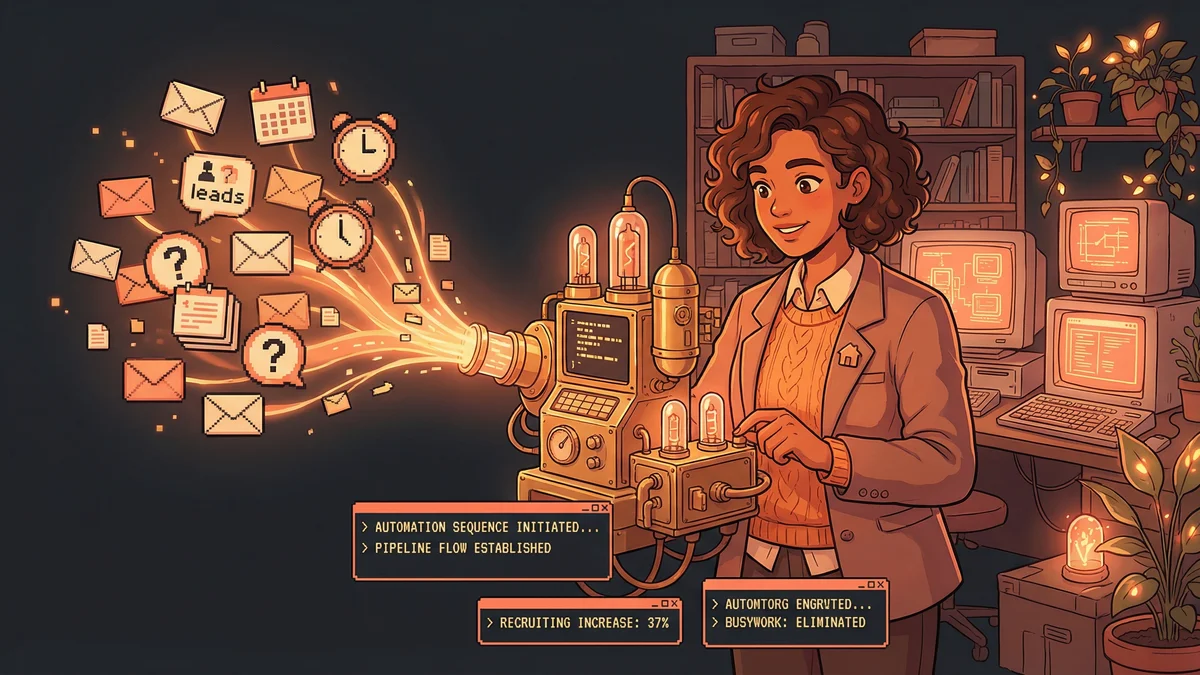
- Increased recruiting results by 37% without adding headcount
- Reduced recruiter administrative workload by 25%
- Used Zapier automation to handle all logistics around human conversations
- Best for: Any business with lead-to-conversion processes drowning in administrative busywork
- Key lesson: Automate everything except the human judgment — scheduling, follow-ups, data entry, reminders
A real estate brokerage increased recruiting by 37% and cut administrative workload by 25% by automating all the logistics around human conversations, not the conversations themselves.
JBGoodwin REALTORS had a recruiting problem.
Not a shortage of candidates — a shortage of time. The recruiting team was drowning in administrative tasks: chasing leads, scheduling interviews, sending follow-ups, updating databases.
The actual interviewing — the high-value conversations that determined whether a candidate was the right fit — got squeezed between all the busywork.
“We knew recruiting was our growth engine. But the people responsible for recruiting spent more time on logistics than on actual recruiting.”
Something had to change.
The Manual Trap
Before automation, a typical recruiting workflow:
- Lead comes in (website form, referral, job board)
- Admin logs it in the CRM (5 minutes)
- Recruiter sends intro email (5-10 minutes per candidate)
- Wait for response (often lost to follow-up gaps)
- Exchange multiple emails to find interview time (15-20 minutes)
- Schedule interview in calendar (5 minutes)
- Send confirmation with details (5 minutes)
- Conduct interview (30-60 minutes)
- Send follow-up thanking candidate (5-10 minutes)
- Update CRM with notes (5-10 minutes)
Each step was small. Together, they consumed hours per candidate. And with dozens of candidates in the pipeline at any time, recruiters were buried.
The human expertise — evaluating fit, selling the brokerage’s value, building relationships — got less than 30% of recruiter time.
The Automation Architecture
JBGoodwin implemented a Zapier-based automation system connecting their tools.
The Flow:
- Lead fills out interest form on website
- Zapier instantly creates CRM contact and tags them “New Lead”
- Automated SMS goes out: “Thanks for your interest! When’s a good time to talk?”
- If lead responds with time preferences, automated calendar invite goes out
- Before interview, automated email sends prep materials
- After interview, automated follow-up thanks them and provides next steps
- CRM automatically tracks where each candidate is in the pipeline
Recruiters still conducted interviews. They still made hiring decisions. They still built relationships.
But everything around those human moments was automated.
The Results
After full implementation, the numbers told the story:
Recruiting increased 37%. More candidates made it through the pipeline because fewer dropped out during the gaps.
Administrative workload decreased 25%. Recruiters spent a quarter less time on logistics.
Response time improved dramatically. Leads heard back within minutes instead of hours or days.
No additional headcount. The same team produced more results because they weren’t drowning in busywork.
The Speed Advantage
The most impactful change: response speed.
In recruiting, first contact matters. A good candidate considering multiple brokerages will often choose whoever engages first and most professionally.
Before automation, a lead might wait 24-48 hours for a response while recruiters worked through their email backlog.
After automation, leads received acknowledgment within minutes. The automated SMS felt personal (“Thanks for your interest!”) even though no human typed it.
By the time recruiters had a conversation with a candidate, that candidate already felt attended to. The relationship started stronger.
“We weren’t losing candidates to competitors who were faster anymore. We were the faster competitor.”
The Follow-Up Problem
The other major impact: follow-through.
Recruiting pipelines leak. A promising candidate doesn’t respond to an email. A scheduled interview gets postponed and never rescheduled. A candidate expresses interest then goes silent.
Each leak represents lost potential — and lost recruiter time already invested.
Automated follow-ups prevented leaks. If a candidate didn’t respond to the initial outreach, a second message went out automatically after 48 hours. If an interview was postponed, the system automatically proposed new times.
“Things that used to fall through cracks just… didn’t anymore. The automation remembered everything.”
Recruiters could trust that candidates were being touched regularly without having to manually track every conversation.
The Human Focus
Crucially, automation didn’t replace the human parts.
The system didn’t interview candidates. It didn’t evaluate fit. It didn’t negotiate offers or sell the brokerage’s culture.
Those remained human responsibilities. And because humans were freed from logistics, they could do those responsibilities better.
“Our recruiters actually got to recruit. They spent time on relationship-building and evaluation instead of scheduling and data entry.”
Interview quality improved because recruiters weren’t rushed. They had time to prepare, to review candidate backgrounds, to think about questions.
Candidate experience improved because every touchpoint was consistent. No one felt forgotten or ghosted.
The Setup Investment
Building the automation system wasn’t instant.
Initial setup took several weeks of mapping workflows, connecting tools, and testing sequences.
The team had to define:
- What triggers what automation?
- What messages go out at each stage?
- How do handoffs between automated and human touchpoints work?
- What happens when candidates take unexpected paths?
Edge cases appeared: What if a candidate responds to an automated message with a question the bot can’t answer? What if they prefer phone calls to texts? What if they’re in a different time zone?
Each edge case required configuration. The system got smarter over time but needed ongoing tuning.
The Broader Lesson
JBGoodwin’s experience illustrated a principle applicable across small business:
Automation works best when it handles logistics around human activities, not instead of them.
Recruiting success depends on human judgment and relationship building. Those can’t be automated.
But scheduling, follow-ups, data entry, and reminders can be automated. And automating those logistics multiplies the impact of human time.
“We didn’t automate recruiting. We automated everything except recruiting. That’s the difference.”
The Cascade Effect
As recruiting improved, other metrics followed.
More agents meant more listings and sales. More sales meant more revenue. More revenue meant more resources to invest in growth.
The automation system cost a few hundred dollars per month in software subscriptions. The return — measured in additional agents brought on — was orders of magnitude higher.
“The ROI wasn’t even close. Every dollar we spent on automation came back as many dollars in commissions from new agents.”
This is the math that often justifies automation for small businesses. The systems are cheap. The results — when properly implemented — are large.
The Template
JBGoodwin’s workflow is a template for any business with a lead-to-conversion process:
- Lead enters system → Automatic acknowledgment and logging
- Qualification questions → Automated collection of basic info
- Scheduling → Self-service calendar booking
- Pre-meeting prep → Automated materials and reminders
- Human interaction → The actual valuable conversation
- Follow-up → Automated thank-you and next steps
- Pipeline tracking → Automatic status updates and reminders
This template applies to sales, recruiting, client onboarding, partnerships — any process where human conversations are surrounded by administrative logistics.
Automate the logistics. Protect the human time.