TL;DR
- Claude Code organized 2,847 chaotic files into meaningful folders by actually understanding file contents
- Years of organizational debt was paid off in a few afternoons, with 5-minute weekly maintenance keeping it clean
- Key approach: Run Claude from home directory, create CLAUDE.md with your folder preferences, let it sort weekly
- Best for: Anyone drowning in Downloads folders, duplicate files, and cryptic filenames like “Document (47).pdf”
- Key insight: You don’t become organized—you hire an AI assistant who’s organized for you
Claude Code eliminates file organization anxiety by handling the decision-making you hate while maintaining the system you value.
Justin opened his Downloads folder and felt the familiar dread.
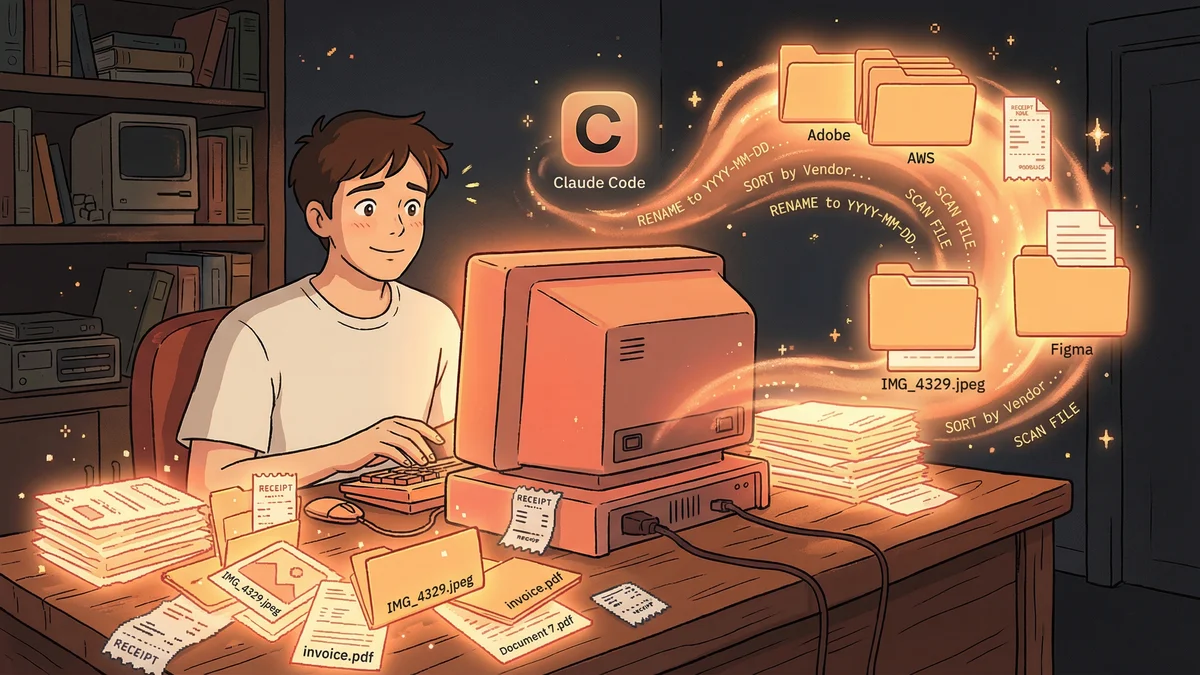
2,847 files. PDFs mixed with images. Screenshots next to spreadsheets. Files named “Document (47).pdf” alongside “final_final_v3_REAL.docx.”
“Staying organized is a huge chore. The cognitive load of figuring out where to store files was insane. Every download became a decision I didn’t want to make.”
So he stopped making those decisions. The Downloads folder became a graveyard. Important files buried under months of digital debris.
The Organization Tax
Every professional pays it.
Time spent finding files. Time spent deciding where files go. Time spent remembering what you named something three months ago.
“I’d download a PDF for a project, forget where I put it, download it again, now I have two copies, neither in the right place.”
Justin tried organization systems. Folder hierarchies. Naming conventions. Apps that promised to sort things automatically.
Nothing stuck. The systems required discipline. Discipline required mental energy. Mental energy was already spent on actual work.
The Home Directory Hack
Justin discovered Claude Code through developer friends. They wrote software with it. He didn’t write software.
“But I had files. Lots of files. And Claude Code could read files. What if I just… pointed it at everything?”
He did something unusual: ran Claude Code from his home directory. Not a project folder. Not a specific workspace. His entire file system.
“I started using it as my personal organization assistant. The first thing I asked: ‘Find duplicate files and help me decide which to keep.’”
The Duplicate Purge
Claude scanned his system. Found duplicates Justin didn’t know existed.
Same PDF downloaded four times with slightly different names. Photos backed up in three different folders. Old versions of documents sitting next to final versions.
“Claude would say: ‘These five files are identical. The oldest is from 2022 in Downloads. The newest is from 2024 in Documents. Want me to keep the newest and delete the others?’”
Justin approved each decision. Watched his storage free up. The cognitive relief was immediate — not from having more space, but from having less chaos.
The Smart Sorting
After duplicates, Justin tackled the Downloads folder.
“Organize these downloads into proper folders based on what they are.”
Claude analyzed each file. PDFs about taxes went to a Finance folder. Screenshots of product ideas went to a Projects folder. Random memes went to an Archive folder he could delete later.
“It didn’t just move files. It understood what they were. A receipt PDF went somewhere different than a research paper PDF, even though both were PDFs.”
The 2,847 files became organized categories. Not perfectly — Claude occasionally misunderstood a file’s purpose. But 90% correct was infinitely better than 0% organized.
The Naming Cleanup
File names were their own disaster.
“Screenshot 2024-01-15 at 3.42.17 PM.png” — what was this screenshot of? “Document.pdf” — which document? “Untitled.docx” — untitled what?
Justin asked Claude to suggest better names based on file contents.
“For images, it would describe what was in the screenshot. For documents, it would use the title or main subject. Everything got a meaningful name.”
Finding files went from impossible to simple. Search worked because names matched content.
The Ongoing System
The real transformation wasn’t the cleanup. It was the maintenance.
Justin built a weekly habit: point Claude at Downloads, ask it to sort and organize, approve the suggested changes.
“Every Sunday, fifteen minutes. My Downloads folder never grows beyond a week of chaos. The cognitive load dropped to near zero.”
He created a CLAUDE.md file with his organization preferences:
- Finance stuff goes in ~/Documents/Finance/
- Work projects go in ~/Work/ProjectName/
- Personal photos go in ~/Pictures/Year/Month/
- Temporary files go in ~/Archive/ToDelete/
Claude learned his system. Suggestions matched his preferences. The fifteen minutes became five.
The Search Transformation
Organized files changed how Justin used his computer.
“Before, I’d think ‘I know I have that somewhere’ and spend twenty minutes searching. Now I just ask Claude: ‘Where’s that contract from the Anderson project?’”
Claude would search his organized file system, find matches, present options. The file appeared in seconds.
“It’s like having a librarian who knows where everything is, because they put it there in the first place.”
The Unexpected Discoveries
Organization revealed things Justin had forgotten.
“Claude found a folder of photos from my grandfather’s funeral. I’d copied them from a camera five years ago and never looked at them. They’d been buried under other junk.”
Important files surfaced from the noise. Sentimental items. Legal documents. Creative projects he’d abandoned and forgotten.
“My file system went from a graveyard to an archive. Same files, completely different relationship to them.”
The Professional Impact
Justin’s work improved in subtle ways.
Meetings where someone asked “can you share that document?” — he could find it instantly. Projects where he needed reference materials — they were organized by project. Tax season — everything was already sorted by year and category.
“The organizational debt I’d accumulated for years was paid off. And it only took a few afternoons.”
The Philosophy Shift
Justin’s relationship with file management changed fundamentally.
“I stopped trying to organize in the moment. Downloads folder became a temporary inbox. Once a week, Claude empties the inbox into the right places.”
The decisions that felt exhausting were no longer his to make. He just approved or adjusted Claude’s suggestions.
“I outsourced the part of organization I hated — the constant decision-making — while keeping the part I valued — knowing where things are.”
The Recommendation
For others drowning in file chaos:
“Don’t try to organize everything at once. Start with one folder. Downloads is good. Ask Claude to sort it. See what happens.”
The initial cleanup took time. But the system, once established, maintained itself with minimal effort.
“You’re not becoming organized. You’re hiring an assistant who’s organized for you. Big difference in mental load.”
The Current State
Two years later, Justin’s file system remained orderly.
Not perfectly organized — he wasn’t that person. But consistently manageable. Files findable. Duplicates rare. Naming sensible.
“I have a clean apartment for the first time in my digital life. And I didn’t become a clean person. I just got help from someone who is.”