TL;DR
- Recording and AI-processing doctor appointments creates organized summaries in 15 minutes
- Claude Code extracts medication lists, action items, warnings, and follow-up schedules from transcripts
- Maintaining a running health document gives AI context to catch drug interactions
- Best for: Patients managing complex conditions, caregivers, anyone who forgets appointment details
- Always get permission before recording medical appointments
Using AI to process recorded medical appointments transforms forgotten doctor instructions into organized, searchable health documents with medication lists, warnings, and action items.
Iliya walked out of the doctor’s office and immediately forgot half of what was said.
It happened every time. Fifteen minutes with the doctor. Information about diagnosis, treatment options, medication interactions, lifestyle changes, follow-up schedules.
Then the door closed, and it all became fog.
“I’d get home and my wife would ask ‘what did the doctor say?’ And I’d stare at her. I knew there were instructions. I knew they mattered. But I couldn’t reconstruct them accurately.”
He started bringing a notepad. But writing while listening divided his attention. He’d capture fragments: “Take with food” or “call if worse.” Not enough context to be useful.
The Information Problem
Medical appointments pack dense information into short windows.
Doctors speak in terms patients half-understand. They mention drug names, dosages, timeframes, conditions. They explain risks and alternatives. They give instructions conditional on symptoms.
“My cardiologist once spent five minutes explaining when to call the nurse line versus when to go to the ER versus when to wait and see. It was a decision tree with multiple branches. No way I was remembering all that.”
The stakes felt high. Medical information isn’t trivia. Forgetting an instruction could mean delayed treatment or dangerous interactions.
The Recording Experiment
Iliya started recording appointments on his phone. Just pressed record, asked the doctor if they minded, and captured the whole conversation.
But recordings created their own problem.
“I had audio files I never listened to. Who has time to replay a 20-minute appointment? I needed the information extracted, not just captured.”
He tried transcription services. They produced text, but medical transcripts are dense and disorganized. Finding specific information meant searching through walls of text.
The Claude Solution
A friend suggested using Claude Code for the processing.
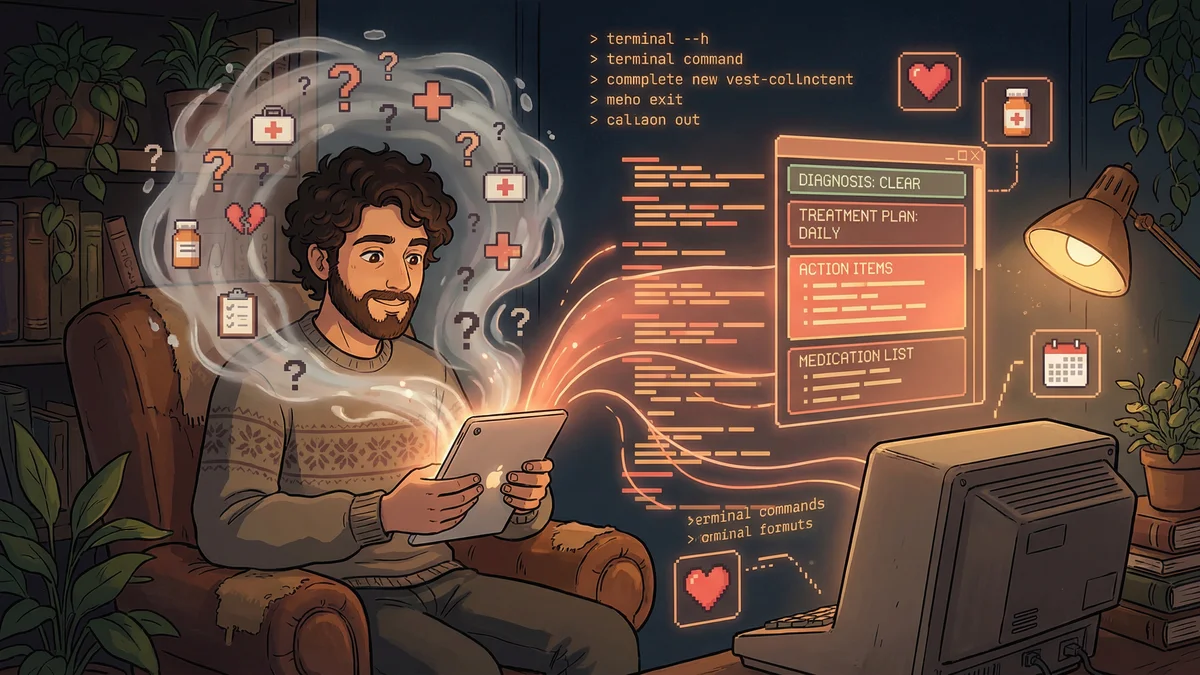
Iliya fed his recording into a transcription tool first (several exist that handle audio-to-text). Then he gave the transcript to Claude Code with simple instructions: “Organize this into sections. List all instructions. Highlight anything I need to do. Flag any warnings or conditions.”
“I got back a structured document. Diagnosis summary. Treatment plan. Medications with dosing. Action items. Warning signs to watch for. Follow-up schedule. All clearly labeled.”
He could scan it in two minutes and know exactly what the appointment covered.
The Context Layer
What made Claude Code particularly useful was adding personal context.
Iliya kept a health document in the same folder: his medication list, allergies, previous conditions, current concerns. When Claude processed a new appointment transcript, it could cross-reference.
“The doctor mentioned a drug interaction warning. Claude noted that I was already taking something that might interact, based on my meds list. That’s context I might have missed in the moment.”
Over time, his health file became a living record. Each appointment added to it. Questions from previous visits got answered. Patterns emerged.
The Family Application
Iliya’s parents were in their 70s. Their appointments were even more complex: multiple specialists, chronic conditions, competing medications.
“I started attending their appointments with my phone recording. Then processing the transcripts for them.”
For his father, he created a medication reconciliation document. Every specialist visited, the document got updated. When doctors asked “what medications are you on?” his father could hand over a printed sheet instead of trying to remember.
“His cardiologist was impressed. Said most patients couldn’t list half their meds accurately. My dad handed over a complete list with dosages, frequencies, and prescribing doctors.”
The Privacy Consideration
Recording medical conversations raises privacy questions. Iliya thought about this carefully.
“The recordings stay on my local machine. The transcription happens locally when possible. When I use Claude Code, I’m aware that data goes to Anthropic’s servers, but I’ve read their privacy policy.”
He made a personal choice about the tradeoff: some privacy exposure versus significantly better health management.
“For me, the benefit outweighed the risk. Medical information getting lost or forgotten was a concrete, immediate danger. The privacy risk felt abstract in comparison.”
He never uploaded transcripts to public services or cloud storage. The documents stayed in a local folder, accessible only on his machine.
The Question Capture
Beyond appointment summaries, Iliya used the system for question capture.
“I’d think of questions between appointments. ‘Should I take this with food?’ ‘Can I exercise on this medication?’ I’d add them to a questions document.”
Before appointments, Claude would organize his questions by topic and priority. During appointments, he’d work through the list. After appointments, Claude would match answers to questions in the summary.
“I stopped leaving appointments thinking ‘I forgot to ask about…’ The questions were documented, asked, and answered.”
The Medication Tracker
One workflow proved especially valuable: medication reconciliation.
Every time Iliya got a new prescription, he’d add the details to his file and ask Claude: “Review my medication list. Flag any known interactions. Note any timing conflicts.”
“A pharmacist caught an interaction once, but Claude caught two that the pharmacist missed. I asked my doctor about them at the next appointment. One was fine, one needed adjustment.”
He wasn’t replacing professional medical advice. He was adding a layer of review that caught things humans might miss due to workload or incomplete information.
The Insurance Battle
Medical records helped with insurance disputes too.
When a claim got denied, Iliya had detailed documentation. The exact date of the appointment. What was discussed. Why the treatment was recommended.
“I appealed a denied claim and included the relevant excerpt from my organized notes. The appeal succeeded. The insurance company said my documentation was ‘unusually thorough.’ I didn’t tell them an AI helped organize it.”
The Mental Health Benefit
Beyond practical value, the system reduced Iliya’s health anxiety.
“I used to worry I was forgetting something important. Did the doctor say to call if this symptom appeared? What was the dosage again?”
Having a reliable record eliminated the worry. Information was captured, organized, searchable. He could trust his system instead of his memory.
“My wife said I seemed less stressed about health stuff. I was. Because I actually knew what was going on.”
The Simple Setup
Iliya’s workflow required minimal technical skill:
- Record appointments (with permission)
- Transcribe using any audio-to-text tool
- Feed transcript to Claude Code with a standard prompt
- Claude generates organized summary
- Summary gets added to the running health file
The whole process took maybe 15 minutes after each appointment. Less time than he used to spend trying to remember what was said.
The Broader Pattern
Iliya’s healthcare use case illustrated a broader principle: AI as a translation layer between complex professional information and everyday understanding.
Lawyers, accountants, mechanics — any professional who explains complex topics to clients — generates information that clients struggle to retain.
“Anyone who’s sat through a consultation and thought ‘I’ll never remember all this’ could benefit from capture-and-summarize workflows.”
The technology doesn’t replace understanding. It ensures information isn’t lost between the professional’s mouth and the client’s action.