TL;DR
- Collected 1,000+ competitor ads across Meta, LinkedIn, and Google in hours instead of weeks
- Reduced competitive research time from 2 competitors/hour to 30 competitors in one afternoon
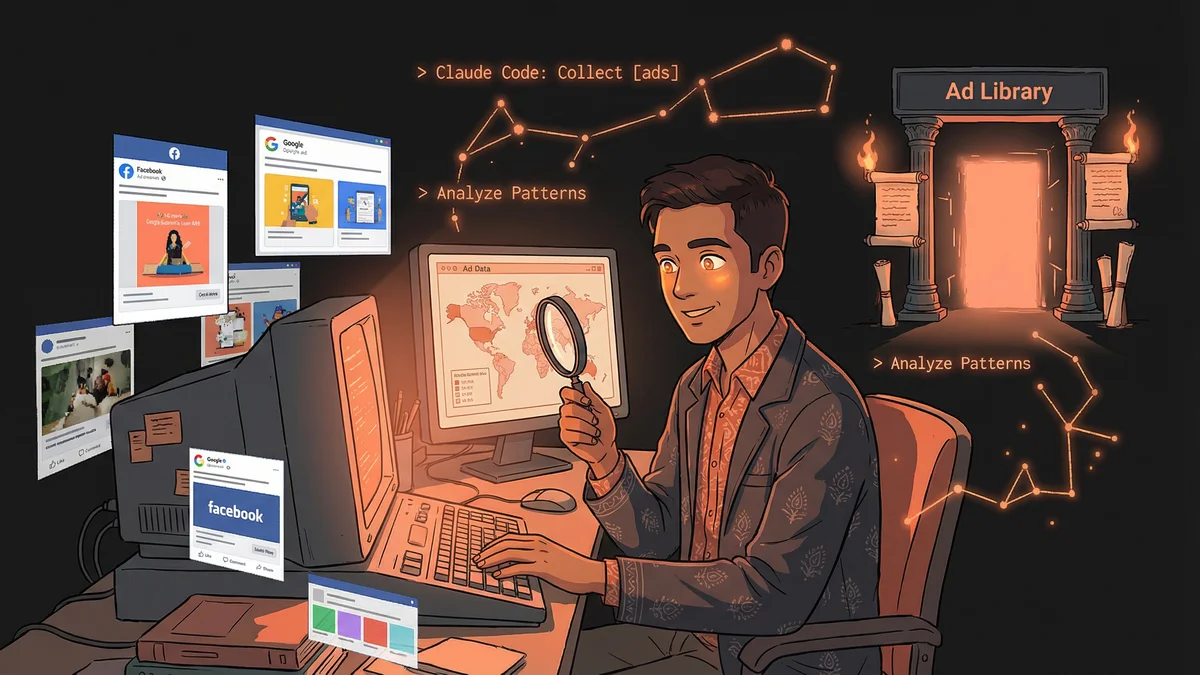
- Used Claude Code browser automation to systematically extract from public ad libraries
- Best for: Marketers needing comprehensive competitive intelligence without expensive tools
- Key lesson: Public ad libraries are goldmines when you can automate collection and analysis
A marketer used Claude Code to collect and analyze over 1,000 competitor ads in hours, transforming weeks of manual browsing into systematic competitive intelligence.
Sumant needed to know what his competitors were saying.
Not their website copy — he’d read that. Not their blog posts — he’d analyzed those. He needed their ads. The messages they paid money to put in front of customers.
“Ads tell you what a company thinks works. They’re investing real dollars behind those words. That’s signal you can’t fake.”
The problem: ads were scattered across platforms, appearing to different audiences, changing constantly. No easy way to see them all.
The Ad Library Landscape
Facebook, Instagram, LinkedIn, Google — each platform had some version of an ad library. Public transparency tools showing what ads companies were running.
“I could manually browse these libraries. Search for a competitor. Scroll through their ads. Screenshot interesting ones. Maybe get through two competitors per hour.”
For comprehensive competitive intelligence, Sumant needed to track dozens of competitors across multiple platforms. The manual approach didn’t scale.
“I tried services that aggregate competitor ads. Some were expensive. Some were incomplete. None gave me exactly what I wanted: a comprehensive view I controlled.”
The Browser Automation Discovery
Sumant heard about Claude Code through a marketing community. Someone mentioned it could control a browser.
“Wait, it could do what now?”
Claude Code could navigate websites, click buttons, scroll pages, take screenshots — all through natural language instructions.
“I thought: if Claude can browse websites, can it browse ad libraries? Can it systematically collect competitor ads?”
The First Extraction
Sumant tested the concept. Pointed Claude at Facebook’s Ad Library.
“Go to the Meta Ad Library. Search for [competitor]. Scroll through all their active ads. Screenshot each one.”
Claude opened a browser. Navigated to the library. Entered the search. Started scrolling. Captured screenshots.
“I watched it happen. Almost ‘agentic’ — the way it navigated like a person would, but faster and without getting bored.”
The first competitor’s ads — all forty-seven of them — were captured in ten minutes.
The Systematic Collection
Manual browsing was now automated browsing.
Sumant built a list: thirty competitors, three platforms each. Created a folder structure for organization.
“Run through all thirty competitors on Meta Ad Library. Then LinkedIn. Then Google. Save everything organized by competitor and platform.”
Over a few hours, Claude collected over a thousand ad screenshots. Every active ad from every major competitor, organized and accessible.
“This would have taken me weeks manually. I would have given up. Now I had complete data.”
The Pattern Analysis
Screenshots were just the beginning. Understanding came from analysis.
Sumant gave Claude the collection: “Look at all these ads. What patterns do you see in how competitors talk about their product?”
Claude analyzed the images. Identified recurring themes:
- Problem framing: How competitors described the customer pain
- Solution positioning: How they positioned their product as the answer
- Social proof: What types of testimonials or metrics they featured
- Call to action: What they asked prospects to do
“Everyone was focused on one problem angle. Nobody was talking about the angle I thought was our strength. Massive opportunity.”
The Copy Extraction
Screenshots were visual. Analysis needed text.
“For each ad, extract the headline, body copy, and call to action. Create a spreadsheet.”
Claude read each screenshot — processing the images as a human would — and extracted the text into structured data.
“Now I could search across all competitor ads. ‘Which competitors mention free trials?’ ‘Which use urgency language?’ ‘Which reference specific industries?’”
The spreadsheet became a competitive intelligence database. Sortable. Searchable. Analyzable.
The Positioning Map
Sumant pushed deeper.
“Based on all these ads, map where each competitor positions themselves. What claims do they make? What audience do they target?”
Claude created a competitive positioning analysis. Competitor A focused on enterprise. Competitor B emphasized ease-of-use. Competitor C led with price.
“I could see the battlefield. Where everyone was clustered. Where white space existed. Where we could differentiate.”
The Message Testing Insights
Ads that run repeatedly are ads that work. Companies kill ads that don’t perform.
“Which ads from each competitor have been running longest?”
Claude compared current ads against historical captures (as Sumant continued collecting over time). Some ads persisted for months. Others disappeared after days.
“The survivors were the winners. I studied what made those ads work. The headlines that stuck around were validated by real spending and results.”
The Swipe File
Every marketer keeps a swipe file — examples of effective marketing for inspiration.
Sumant’s swipe file went from scattered bookmarks to organized collection.
“I had Claude tag each ad: by format (image/video/carousel), by angle (problem/solution/testimonial), by style (corporate/casual/urgent). Now I could pull examples when needed.”
Writing new ad copy started with “show me all competitor testimonial ads” instead of blank-page brainstorming.
The Ongoing Monitoring
Competitive intelligence isn’t a one-time project. Competitors evolve.
Sumant established a monthly collection routine. Claude would refresh the ad library captures, identify what changed.
“New ads this month. Killed ads since last month. Shifts in messaging patterns. I had a competitive radar running continuously.”
The first time a competitor launched a campaign targeting his specific market segment, Sumant knew within days. He could respond instead of being blindsided.
The Ethical Consideration
Public ad libraries exist for transparency. But Sumant considered the ethics carefully.
“I’m collecting publicly available information. I’m not violating any platform’s terms. I’m not accessing anything hidden.”
The analysis was legal. The use of insights was ethical — informing his own marketing, not copying competitors directly.
“I never used their exact copy. I learned from their approaches and created my own original work informed by patterns.”
The Creative Direction
Understanding competitors changed creative briefings.
“Before: ‘Make ads that feel right.’ After: ‘Make ads that differentiate from these specific competitor approaches.’”
Design and copy teams got competitor context. Briefs included what everyone else was doing, so new work could be intentionally different.
“We stopped accidentally making ads that looked like everyone else’s. Differentiation became deliberate.”
The Budget Implication
Competitive intelligence informed budget decisions.
“If all competitors were advertising heavily on LinkedIn but barely on Reddit, that told me something. Maybe LinkedIn was essential. Maybe Reddit was overlooked opportunity.”
Platform prioritization became data-informed. Not guessing where competitors spent — seeing where they spent and deciding whether to follow or diverge.
The Strategy Transformation
Sumant’s marketing became more strategic.
“I stopped guessing what competitors said. I knew. I stopped assuming market positioning. I mapped it. I stopped hoping our differentiation was real. I verified it.”
The collection and analysis took hours per month. The strategic clarity saved months of misdirected effort.
“Marketing without competitive intelligence is playing chess without seeing the other pieces. Now I see the whole board.”