TL;DR
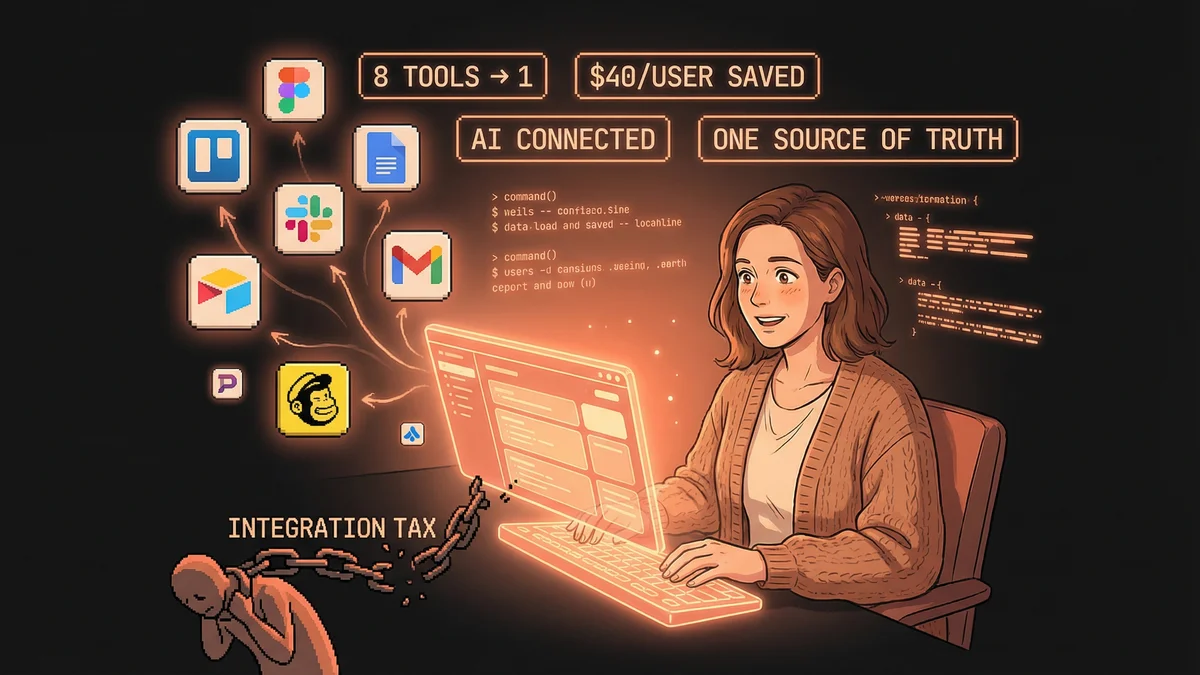
- Consolidated 8 disconnected tools into one AI-powered platform (ClickUp)
- Saved $40/user/month while gaining unified AI capabilities
- AI could finally answer questions by connecting data across all business functions
- Onboarding time dropped dramatically - new hires learned one tool, not eight
- Best for: Small businesses using 5+ tools paying the “integration tax”
Consolidating eight tools into one platform didn’t just save money - it made AI actually useful because the AI could finally see the whole business.
Rachel ran a small marketing agency.
She used Trello for projects. Google Docs for documents. Slack for communication. Airtable for client tracking. Mailchimp for emails. And half a dozen other tools for various purposes.
Each tool worked fine. Together, they created chaos.
“Information lived everywhere. Project details in Trello. Meeting notes in Docs. Client contacts in Airtable. I spent half my day searching for stuff I knew I’d written down somewhere.”
The tool sprawl wasn’t just annoying. It was expensive — both in subscription costs and in the time lost to context-switching.
Then she discovered all-in-one platforms with AI.
The Integration Tax
Every tool requires learning. Every tool has its quirks. Every tool needs maintenance.
With 8-10 tools, Rachel paid a hidden “integration tax” — the overhead of keeping everything connected and consistent.
When a client called, she’d have to check multiple systems to get the full picture. When team members joined, she’d train them on a half-dozen apps. When information needed updating, she’d update it in three places.
“I realized I was working for my tools instead of my tools working for me.”
The promise of specialized apps — “best of breed for each need” — didn’t deliver for her size. The overhead outweighed the benefits.
The Consolidation
Rachel migrated to ClickUp — one of several all-in-one work platforms that combine project management, documents, databases, goals, and communication.
More importantly: ClickUp had AI built in.
What she moved:
- Projects and tasks (from Trello)
- Documents and notes (from Google Docs)
- Client database (from Airtable)
- Team communication (from Slack channels)
- Goal tracking (from spreadsheets)
What AI added:
- Automated meeting summaries
- Task creation from natural language
- Status updates generated from project data
- Smart suggestions for next actions
- Q&A about her own workspace
“I could ask ‘What’s the status of the Smith project?’ and get an answer drawn from tasks, documents, and communications. That wasn’t possible when everything was scattered.”
The AI Compound Effect
The magic wasn’t any single AI feature. It was the combination.
Because all information lived in one place, the AI could connect dots across everything.
Example: Rachel asked, “What did we decide about the product launch timeline last week?”
The AI searched meeting notes, task discussions, and documents — all in one system — and surfaced the answer.
Try doing that across Trello, Docs, Slack, and email. You’d spend 20 minutes hunting. The AI did it in seconds because it had access to everything.
“The AI got smarter because the data was unified. That’s something I didn’t expect.”
The Onboarding Revolution
New team members used to spend days learning Rachel’s tool stack.
Now they learned one tool. The AI helped them navigate — they could ask questions about how things worked and get answers based on the workspace’s actual structure.
“How do we handle client feedback?” — the AI would point to the relevant process documents and show examples.
“Where’s the Brand X project?” — the AI would surface it instantly.
“What’s my role on this task?” — the AI would explain based on the assignment.
Onboarding time dropped. New hires were productive faster because they weren’t lost in a maze of disconnected apps.
The Meeting Note Revolution
Rachel’s favorite AI feature was automatic meeting transcription and action items.
Before: Someone would take notes during calls, then email them around, then someone would create tasks based on the notes, then update the project.
After: The AI joined meetings, transcribed them, summarized key points, and generated draft task lists. Rachel just reviewed and confirmed.
“I used to spend 30 minutes after every client call doing administrative cleanup. Now I spend 5 minutes reviewing what the AI prepared.”
The action items weren’t just notes — they were actual tasks in the system, assigned to people, linked to projects, with due dates.
The Alternative Paths
Rachel tried ClickUp, but other agencies made different choices.
Notion: More document-centric. Agencies with heavy writing workflows (content marketing, PR) often preferred Notion’s flexibility. The AI was strong on summarization and brainstorming but less action-oriented.
Monday.com: More visual and structured. Agencies with complex, repeatable workflows liked Monday’s automation capabilities. The AI focused on workflow optimization and process recommendations.
Airtable: More database-centric. Agencies that needed custom tracking systems (talent management, asset libraries) built sophisticated internal tools. The AI helped generate and analyze data.
Coda: More document-meets-spreadsheet. Agencies wanting highly customized internal tools without coding found Coda’s AI columns powerful.
Each platform had tradeoffs. The common thread: consolidation enabled better AI because the AI had more context.
The Cost Reality
Consolidating tools often saved money.
Rachel’s old stack:
- Trello: $10/user/month
- Notion: $10/user/month
- Slack Pro: $7.25/user/month
- Airtable: $20/user/month
- Mailchimp: Variable but significant
- Miscellaneous: ~$15/user/month
Total: ~$60-70/user/month across fragmented tools
ClickUp with AI features: ~$20-35/user/month depending on tier.
She saved money while gaining integrated AI capabilities that none of the individual tools offered.
“I thought consolidating would be a compromise. It turned out to be an upgrade.”
The Migration Challenge
Moving wasn’t easy.
Migrating data from multiple systems required effort. Old project histories needed importing or archiving. Team habits needed changing.
Rachel did it gradually:
- Month 1: Moved projects and tasks, kept other tools running
- Month 2: Moved documents and notes
- Month 3: Moved communications and client tracking
- Month 4: Fully decommissioned old tools
The gradual approach let her test each migration before committing. She also kept exports of old systems just in case.
“Don’t try to move everything at once. You’ll overwhelm yourself and your team.”
The AI Workspace Assistant
After consolidation, Rachel treated the AI like a team member.
She’d ask it questions:
- “What projects are at risk of missing deadlines?”
- “Which clients haven’t we touched in 30 days?”
- “What did we learn from the Jones project post-mortem?”
The AI answered from actual data — not generic responses, but specific insights drawn from her workspace.
“It was like having an analyst on staff who’d read everything and remembered it all.”
She also used it for creation:
- “Draft an agenda for tomorrow’s client meeting based on our recent conversations”
- “Create a project plan template based on how we handled similar projects”
- “Summarize this quarter’s client feedback into themes”
The AI generated starting points that she refined. Faster than starting from scratch, better than generic templates.
The New Workflow
Rachel’s typical day changed.
Old workflow:
- Morning: Check Slack, email, Trello, catch up across systems
- Midday: Hunt for information across tools for client calls
- Afternoon: Update multiple systems with meeting outcomes
- Evening: Reconcile inconsistencies between systems
New workflow:
- Morning: Check one dashboard, ask AI for priority overview
- Midday: Ask AI to prep meeting context, notes auto-imported
- Afternoon: Review AI-generated summaries and tasks, approve
- Evening: Actually leave on time
“I stopped being a system administrator for my own business. I started being a manager again.”
The Recommendation
Rachel’s advice for other small businesses:
“If you’re using more than 5 tools, consider consolidation. The cost savings are real, but the bigger win is having AI that can actually see your whole business.”
The all-in-one platforms aren’t perfect. They’re generalists, not specialists. If you have extremely specific needs, specialized tools might still be better.
But for most small businesses, the integration tax of maintaining many tools exceeds the benefit of each tool’s superiority.
“Pick one platform. Move everything there. Let the AI help you. It’s simpler, cheaper, and actually works.”