TL;DR
- Claude Code processes meeting transcripts and extracts action items, decisions, and follow-ups automatically
- Reduces meeting documentation from hours to 5 minutes per meeting
- Integrates with Linear, Jira, Slack, and Notion via MCP tools
- Best for: Project managers handling 15+ meetings per week
- Key lesson: AI catches nuance like hesitant commitments and unresolved topics that humans miss
Project managers can eliminate hours of meeting documentation by using Claude Code to automatically extract action items, create tickets, and post summaries within minutes of any meeting ending.
The meeting ended 47 minutes ago. Someone recorded it. Someone else took notes. A third person was supposed to send action items “right after.”
It’s been 47 minutes. No action items have been sent.
Tomorrow, half the team will remember different things being decided. The things that seemed urgent in the meeting will be buried under new urgencies. And that important follow-up? It’ll slip through the cracks until someone asks about it in two weeks.
This is how projects die. Not dramatically. Slowly. Through lost context and forgotten commitments.
The PM’s Impossible Task
Anushki ran operations at a fast-moving company. Her job was keeping things on track. But the volume was overwhelming:
- 15-20 meetings per week
- Each generates decisions, questions, action items
- Multiple tools to update (Linear, Notion, Slack)
- Technical questions she couldn’t answer without pinging engineers
“I spent half my time just documenting what was decided and following up on who said they’d do what.”
The irony: the person responsible for keeping things organized was too busy organizing to actually do things.
The Automation That Changed Everything
Anushki’s new workflow:
- Record the meeting (Zoom, Fireflies, whatever)
- Drop the transcript in a folder
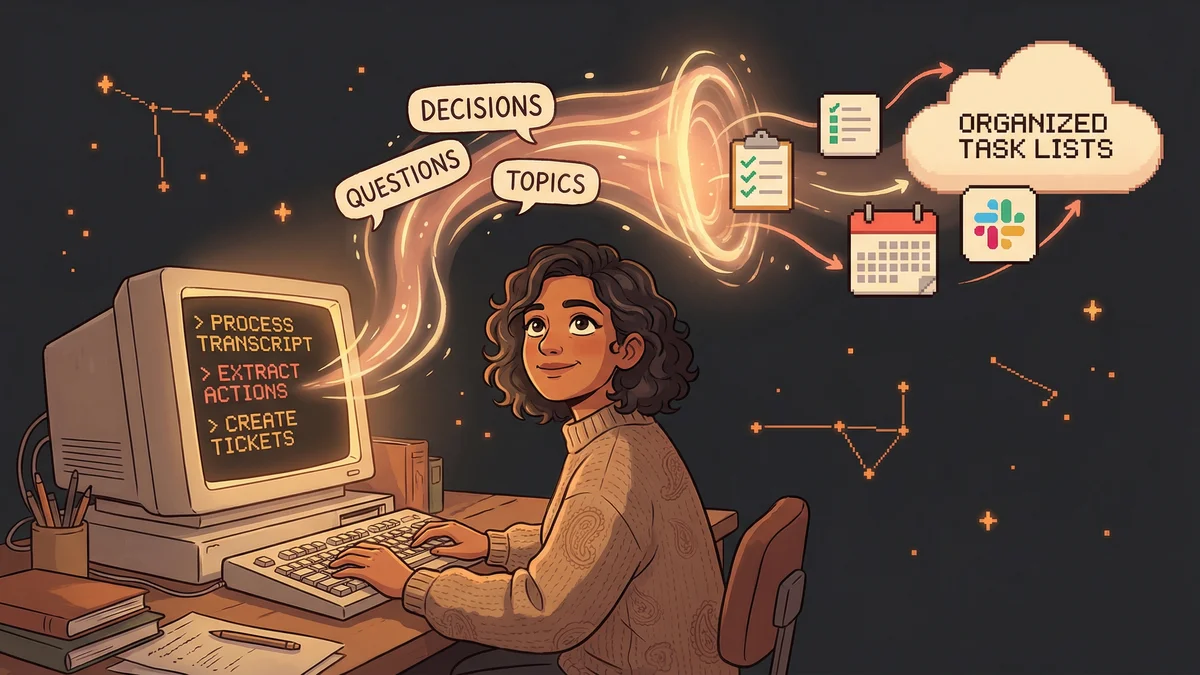
- Run one command:
"Process meeting transcript from /meetings/[today].txt

Extract:
- Decisions made (who decided, what, why)
- Action items (who, what, when)
- Questions that need follow-up
- Topics deferred to future meetings

Format as a meeting summary.
Create Linear tickets for each action item.
Post summary to #team Slack channel."
The meeting ends. Within 5 minutes, the team has:
- A clean summary in Slack
- Action items already in their task tracker
- No ambiguity about who owns what
The Tool Chain
Here’s what happens under the hood when Anushki runs her command:
Meeting transcript → Claude processes and extracts
Action items → Claude creates Linear tickets via API
- Title from the action description
- Assignee from who was mentioned
- Due date from any stated timeline
- Context from the meeting discussion
Summary → Posted to Slack
- Who attended
- Key decisions
- Open questions
- Links to created tickets
Questions for engineering → Flagged separately
- Claude checks if it can answer from codebase
- If not, creates a specific question with context
- Engineers get targeted questions, not “can you explain this?”
The GitHub Codebase Superpower
The part that surprised Anushki most:
"I download our GitHub codebase and ask Claude directly
for technical answers about our products."
When someone asks a technical question in a meeting - “Does our API support X?” - she used to interrupt an engineer. Now:
"Check our codebase: does the API endpoint for [feature]
support [specific capability]? Where is that implemented?"
Claude searches the code, finds the answer, gives her the file reference. She answers the question without pinging anyone.
“I no longer need to interrupt engineers for technical questions. Claude knows the codebase.”
The Custom Support Workflow
Anushki went further. She built a slash command for customer support:
/cora-support-email-writerWhen a customer reports an issue:
- She describes the problem to Claude
- Claude searches the codebase for relevant context
- Claude drafts a support response with accurate technical details
- She reviews and sends
The response is accurate because it’s grounded in actual code, not guesses. Response time dropped. Customer satisfaction went up. Engineering interruptions went way down.
The Changelog Revolution
Another PM use case that keeps showing up:
Manik used to spend hours writing changelogs. He’d manually review commits, figure out what was user-facing, write descriptions, format everything.
Now:
"Scan all commits since [date].
Identify user-facing changes.
Group by feature area.
Write a changelog in our standard format.

Follow these guidelines: [paste changelog style guide]
Make it clear what users will notice.
Technical changes go in a separate 'Under the Hood' section."
“What earlier took me hours is now down to 10-15 minutes.”
Setting Up Meeting Automation
Basic transcript processing:
"Here's a meeting transcript.
Extract all action items as a bulleted list.
Include: who's responsible, what they'll do, any deadline mentioned.
If no owner was clear, flag it as 'needs assignment.'"
With task creation:
First, set up the integration (Linear, Asana, Jira MCP), then:
"Process this transcript.
Create a ticket for each action item.
Assign based on who was mentioned.
Set priority based on urgency signals in the discussion."
With follow-up automation:
"Process this transcript.
For any item mentioned as 'we'll discuss next week':
- Add it to our recurring meeting agenda doc
- Set a reminder for me 24 hours before that meeting

For any item with a deadline:
- Create a follow-up reminder for the day before"
The Part That Surprises People
PMs often hesitate because they think AI will miss nuance. The context. The politics. The unspoken things.
But Claude isn’t summarizing blindly. It’s:
- Identifying who spoke with authority on each topic
- Noticing when someone deflected (“let’s table that”)
- Catching soft commitments vs. firm ones (“I’ll try to” vs. “I will”)
- Flagging items that got mentioned but not resolved
You can even tell it:
"Note any moments where someone seemed hesitant
or where the group didn't reach clear alignment.
These might need follow-up conversations."
The Real Transformation
Before: PM as meeting secretary. Taking notes. Sending summaries. Chasing follow-ups.
After: PM as strategic coordinator. Claude handles the mechanics. The human focuses on relationships, blockers, and making things happen.
“I use Claude Code for the majority of my PM tasks. Refining Linear issues, writing release notes, discussing UX improvements. For good or bad, I talk to Claude more than anyone else.”
The PM role doesn’t disappear. It elevates. From documentation to coordination. From catching things to driving things.