Nobody hires a salesperson to update their CRM. Nobody becomes an ops manager to generate performance reports. But that’s where the hours go—into the gap between doing the work and documenting it.
Three professionals closed that gap with AI. The tool changed. The pattern didn’t.
The Sales Docs That Write Themselves
Kyle built an internal tool for his sales team using the Claude API. The workflow: drop your meeting notes and call transcripts into a folder, answer a few questions, and wait five minutes.
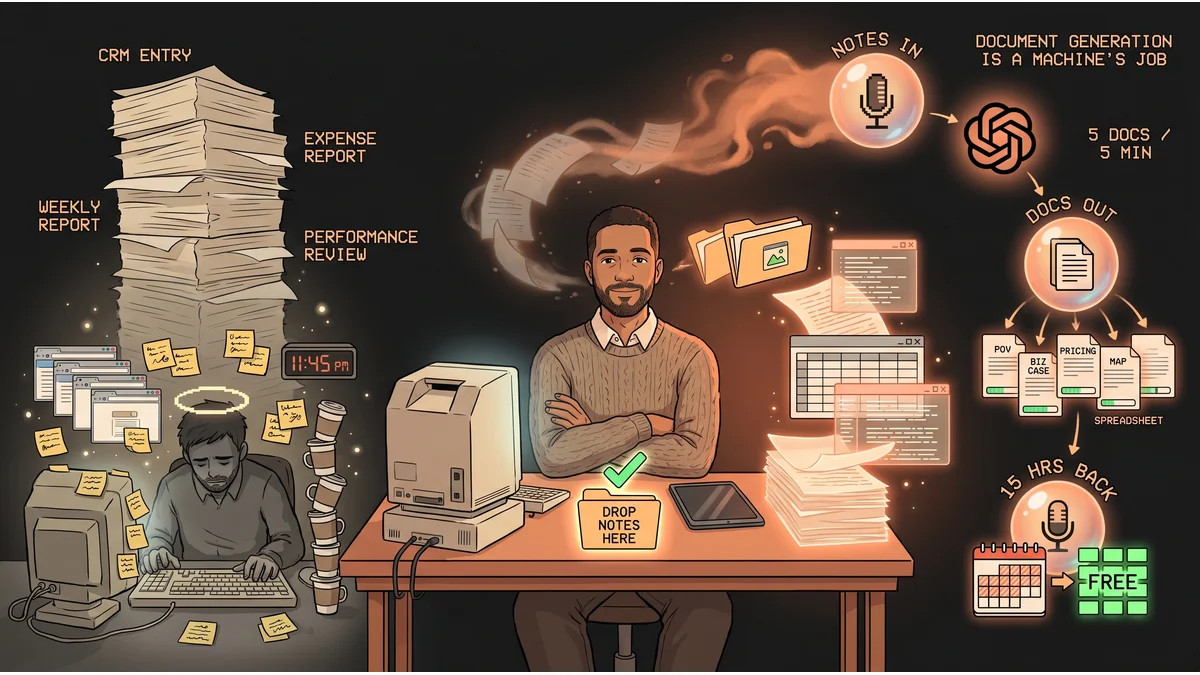
What comes out: a point-of-value document, a business case, a pricing deck, a mutual action plan, and a financial spreadsheet. Five documents. Five minutes. From rough notes.
Previously, assembling that package took hours of reformatting, cross-referencing, and second-guessing the structure. Now it’s the same five-minute output every time. The team’s style stays consistent. The deal cycle gets tighter. And the sales rep does one job instead of three.
The takeaway: AI doesn’t just write copy—it assembles structured, format-specific documents from raw material. The constraint isn’t the AI. It’s building the folder.
The 15-Hour Weekly Drain, Gone
Stephen is a sales rep. Each week, before AI, he faced the same overhead: scrape his own CRM for activity data, file expenses from scattered receipts, and synthesize a weekly performance report for leadership.
He wired Claude to an AI notetaker that captures his calls automatically. The outputs feed directly into his pipeline. CRM entries get populated from call data. Expenses get parsed and categorized. The weekly report writes itself from the same raw inputs.
Result: 15 hours per week back. Not from working faster on those tasks—from not doing them at all.
The takeaway: The admin tax isn’t one big thing. It’s a dozen small things that add up to two full days per week. The play is connecting your capture tool—notetaker, receipt scanner—directly to your output requirements: CRM, expense system, weekly report.
The HR Report That Used to Take All Day
An ops manager shared a workflow that stitches together five data sources that normally live in separate systems: invoices, team chats, emails, phone records, and timeclock data. Previously, creating a monthly employee performance report meant opening each system, exporting data, reformatting it, and making judgment calls about what mattered.
Now the same data gets piped through Gemini. Monthly performance reports: two minutes.
The value isn’t speed alone—it’s completeness. Human-assembled reports tend to weight whatever the manager noticed that month. Gemini processes all five sources equally. It doesn’t forget the invoices when the chat logs are dramatic.
The takeaway: Cross-system aggregation is where AI earns its cost. Each system is fine at what it does. The bottleneck is always the person manually pulling the pieces together.
The Pattern
All three automated the same thing: the gap between doing work and proving work was done.
The CRM update. The expense report. The performance review. These tasks exist entirely to create a record of value—not to create value themselves. AI is exceptionally good at record creation. You bring the inputs. It builds the artifact.
The hours saved ranged from two minutes a month to 15 hours a week, depending on the role and the scope. But in all three cases, the core insight is identical: document generation is a machine’s job. You’ve just been doing it by hand.